RAM: what really changes between DDR3, DDR4 and DDR5
Published on 2026-09-12 by frfrand
Frecuencia, latencia y ancho de banda explicados sin marketing. Por qué más megahercios no siempre es más rápido, y por qué en un servidor la cantidad casi siempre gana.

Memory specifications are full of numbers that seem comparable but aren't. It's worth sorting them out, because the conclusion for a server is quite different from what marketing suggests.
The two numbers that appear
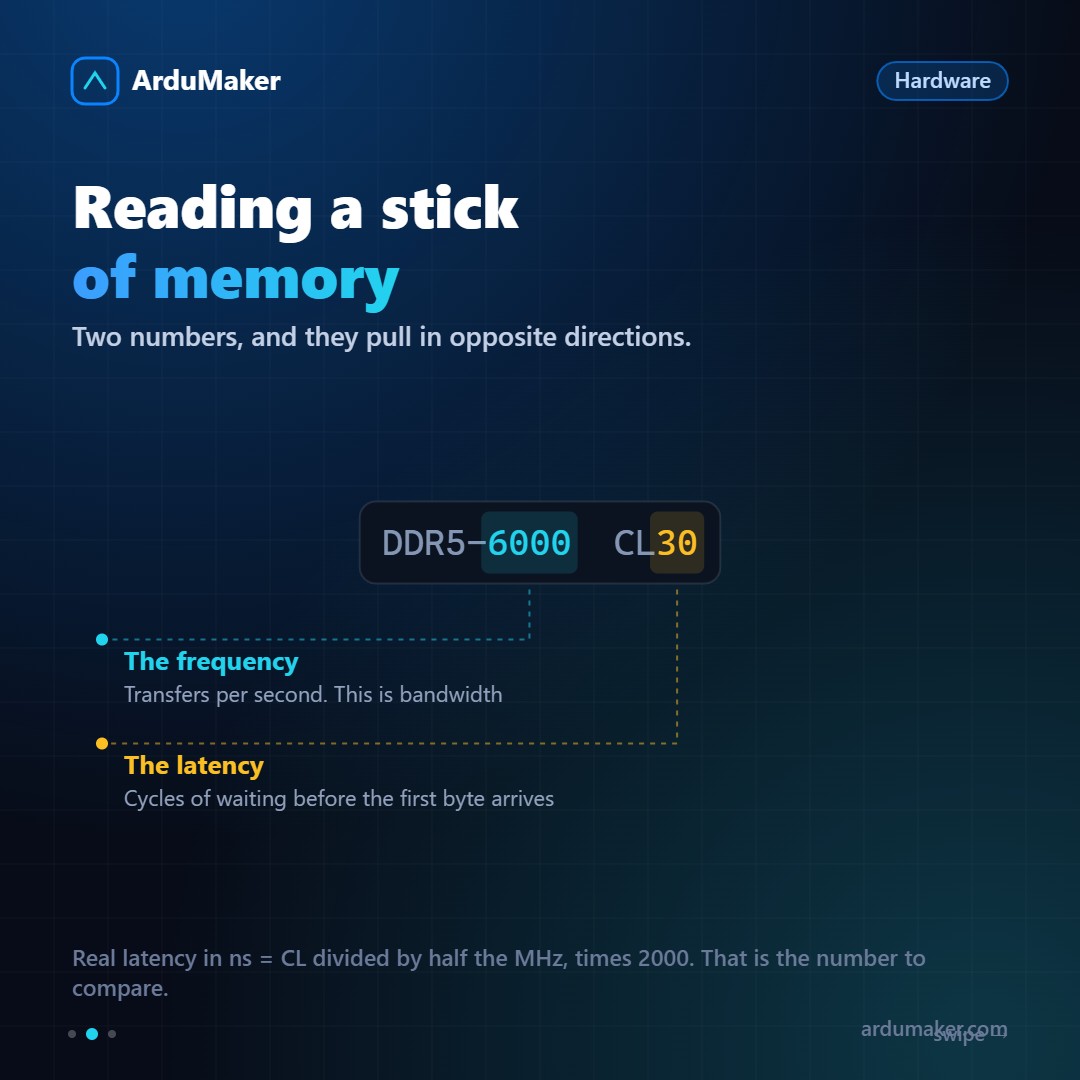
Frequency (DDR4-3200, DDR5-6000). Indicates how many transfers per second it performs. Higher frequency, more bandwidth: more data per second.
CL latency (CL16, CL30). How many clock cycles it waits before delivering the first piece of data. Lower is better.
And here's the detail marketing omits: both go up together. Faster memory usually has a higher CL, because the cycles are shorter.
The calculation that clarifies it
Actual latency in nanoseconds is calculated as follows: CL divided by half the frequency, divided by 2000.
- DDR4-3200 CL16 → 10 nanoseconds
- DDR5-6000 CL30 → 10 nanoseconds
Practically the same. And if you do the calculation for typical DDR3, it also stays close.
The uncomfortable conclusion: over three generations, bandwidth multiplied and actual latency barely changed. Each generation delivers more data per second, but the first piece of data takes more or less the same time as it did fifteen years ago.
That's a physical limitation, not an oversight: it has to do with how memory cells work.
What really improved
Not everything is marketing; there were real advances:
Bandwidth. For workloads that move large amounts of data continuously (image processing, analysis, virtualization with many machines) this is noticeable.
Capacity per module. DDR5 allows much larger modules, which is what makes servers with enormous amounts of memory possible.
Energy efficiency. Less voltage per generation. In a data center, that is money.
Error correction on the module. DDR5 incorporates basic internal correction. It does not replace server ECC memory, which also protects the path to the processor, but it is a real reliability improvement.
Why this matters little in a server
Here is the practical part.
The difference between DDR4 and DDR5 in a typical web application is a few percentage points. The difference between having enough memory and not having it is orders of magnitude.
When a server runs out of memory, two things happen, both bad:
- It starts using swap. Latency jumps from nanoseconds to milliseconds. It is a million times slower. The application does not crash: it drags, which is often worse because it is harder to diagnose.
- It loses the disk cache. Linux uses free memory to cache files. Without it, every read goes back to disk.
And if it truly runs out, the system chooses a process and kills it.
How to look at it
free -h
The column to look at is available, not "free". "Free" being low is normal and desirable: Linux uses spare memory as cache and frees it when someone needs it.
If "available" is low and swap is growing, there is a real problem.
vmstat 1
The "si" and "so" columns show swap activity. If there is constant activity there, your server needs more memory, not faster memory.
The short rule for sizing a server: first enough memory, then everything else.