HDD, SSD and NVMe: the difference you can actually notice
Published on 2026-09-12 by frfrand
Por qué el salto de disco mecánico a SSD fue el mayor de la historia reciente, qué agrega NVMe encima, y por qué las operaciones por segundo importan más que los megabytes por segundo.
The switch from mechanical disk to flash memory was probably the biggest performance improvement in recent computing. More than any processor leap. It is worth understanding why.
The mechanical disk and its physical problem
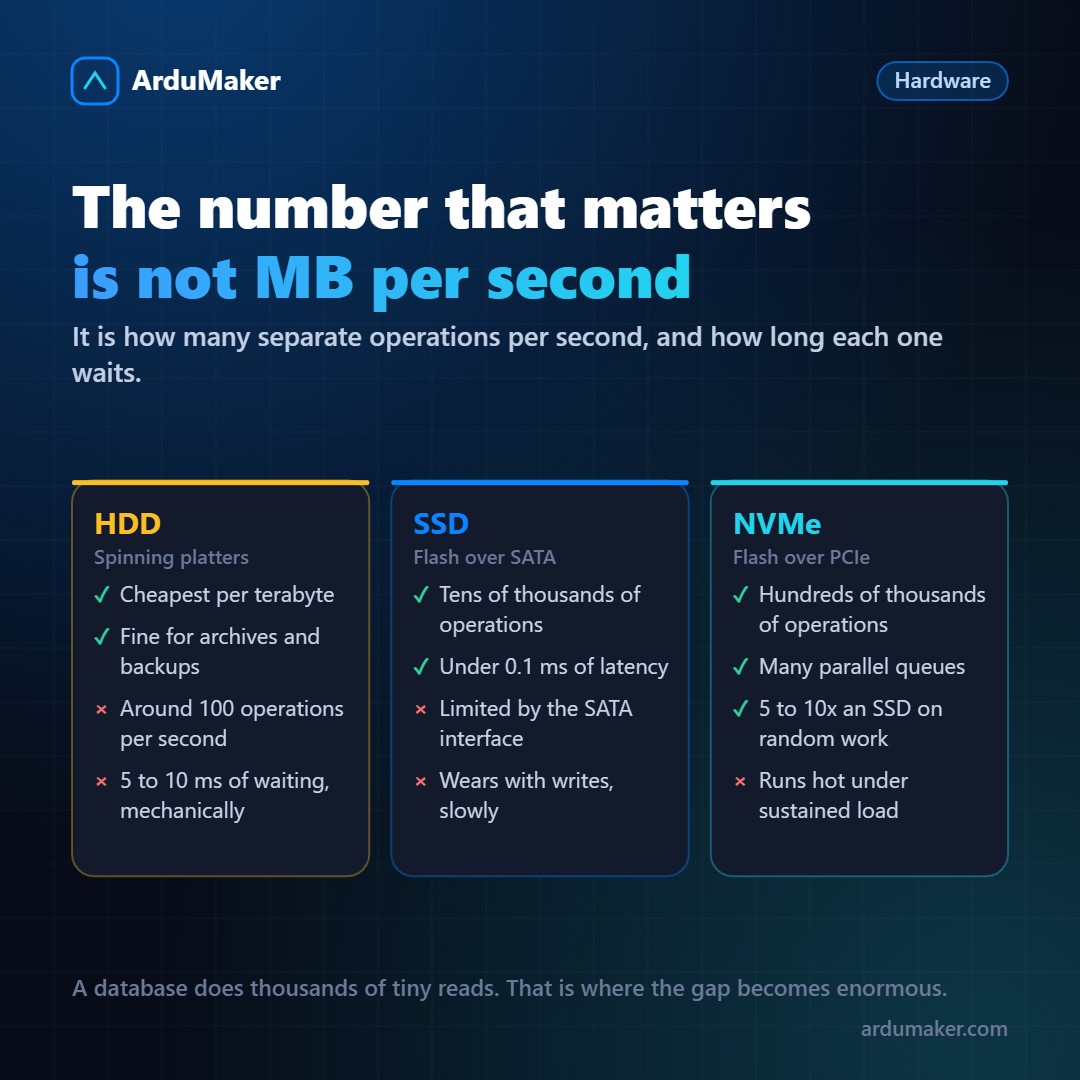
A hard drive has spinning platters and an arm that moves to read. To access data, the arm positions itself (a few milliseconds) and then you have to wait for the sector to pass underneath (a few more milliseconds).
That is between 5 and 10 milliseconds of mechanical wait per access to a different position. No software optimization can avoid it: it is physics.
The consequence: a mechanical drive performs around 100 random operations per second. That number has barely improved in decades, because it depends on how fast the platters spin.
For sequential reading of a large file it performs well (100 to 200 MB/s), because the arm barely moves.
Why the SSD changed everything
An SSD has no moving parts. Accessing any position costs the same: less than 0.1 milliseconds.
That takes random operations from 100 per second to tens of thousands. One hundred times more, in the number that matters most to a database.
And there is the key that is often overlooked: what improved was not so much the transfer speed (from 150 to 500 MB/s, about three times) but the operations per second, which improved a hundred times or more.
A database does not read large files in one go: it performs thousands of small reads at scattered positions. That is why the change was felt so much.
What NVMe adds
NVMe is not a different type of memory: it is a different way of connecting it.
The first SSDs used the SATA interface, designed for mechanical disks, with a single command queue and a limit of about 600 MB/s.
NVMe connects the drive directly to the PCIe bus and uses a protocol designed for flash memory: thousands of queues in parallel, each with thousands of commands. Instead of a single line, many windows attending at the same time.
In practice: between 5 and 10 times more random operations per second than a SATA SSD, and even lower latencies.
The point to keep in mind: under sustained load they heat up, and if they do not dissipate well they reduce their speed. In a well-built server that is solved; in compact equipment, not always.
About wear
Flash memory cells support a limited number of writes. It is real, and in practice it is much less worrying than it sounds.
Modern drives indicate how many terabytes can be written during their warranty, and for a normal load that equals many years. The status can be checked:
smartctl -a /dev/nvme0
The data to look at is the percentage of life used. And yes, it is worth checking it from time to time: flash drives, when they die, sometimes switch to read-only without prior warning.
The practical rule
- Database, operating system, application → NVMe. The difference is noticeable every day.
- Files, backups, video → mechanical disk is still much cheaper per terabyte and perfectly adequate.
And a diagnostic tip: before blaming the disk, check if it is actually waiting.
iostat -x 1
The utilization column near 100% with high wait times indicates that the disk is the bottleneck. If it is at 10%, the problem is elsewhere.
At ArduMaker, VPSs use NVMe storage, precisely because the typical load (a database and an application) is exactly what benefits the most.