When port forwarding is appropriate and when it is not
Published on 2026-09-12 by frfrand
Una guía corta para decidir entre abrir un puerto, poner un proxy inverso o levantar un túnel, y la pregunta que resuelve el noventa por ciento de los casos.
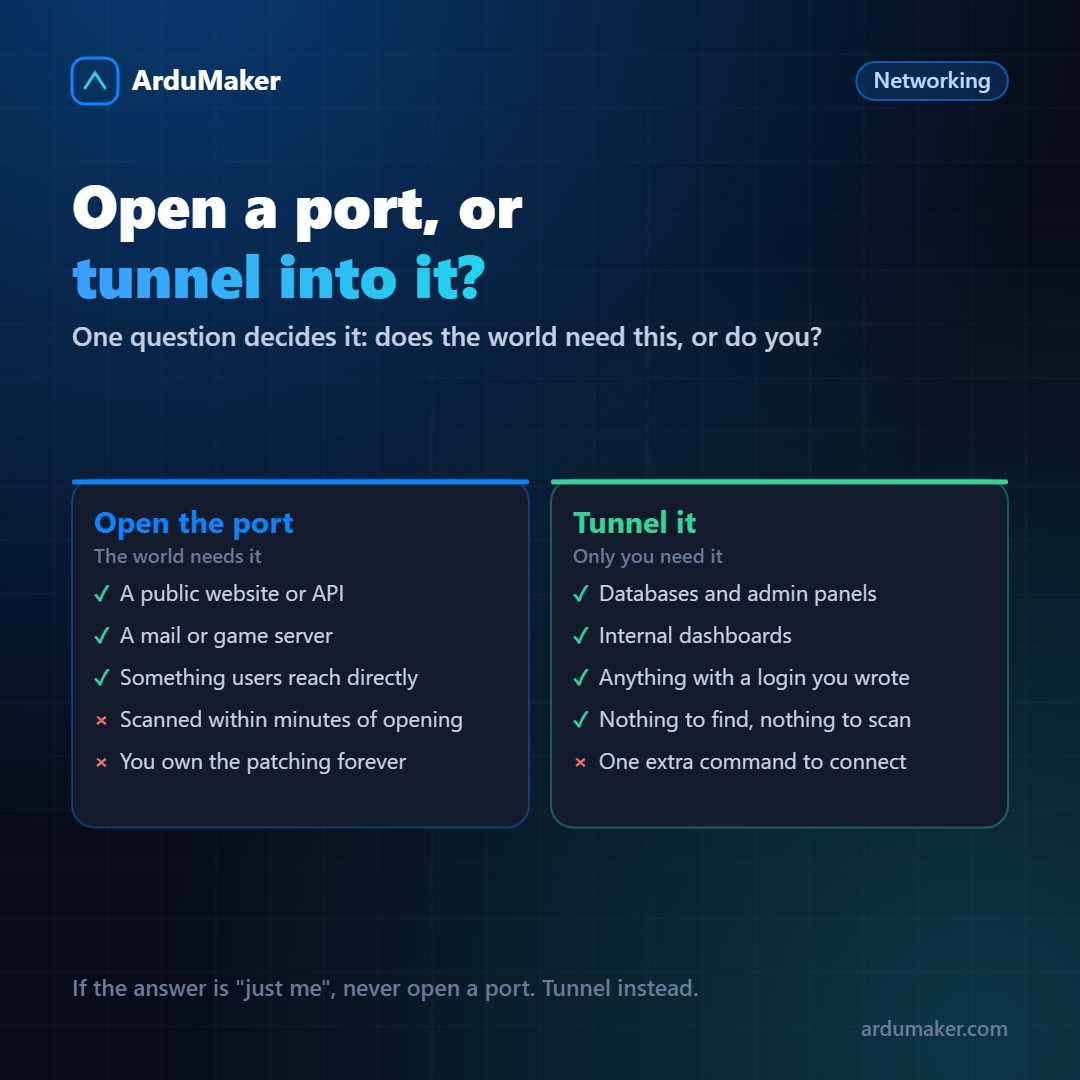
Almost always when someone asks "how do I open this port?", the correct answer is "you probably shouldn't open it".
Not out of paranoia. Because opening a port is a decision that costs little today and a lot over the next few years, and there are alternatives that solve the same thing without that ongoing burden.
The question that orders everything
Before touching the firewall, answer just one thing:
Does this need to be available to the world, or only to you and your team?
If the answer is "to the world", you need to expose it, and it's worth doing it right. If the answer is "for us", don't open anything: use a tunnel.
It sounds simple because it is. The problem is that the first time you need to connect to the database from home, opening the port seems like the fastest way. And then it stays open.
What happens when you open a port
It's not a metaphor: put a new service on a public IP and check the logs in two hours.
There are entire networks dedicated to scanning the entire Internet address space, all the time. They didn't pick you: they sweep everything. An open port appears on their lists in minutes.
That doesn't mean they'll get in. It means that from that moment on, the security of that service depends entirely on how well it's configured, its version, and whether you apply patches. Forever.
For a web server, that's acceptable: it's its job. For a database or an admin panel, it's almost never worth it.
The three cases where yes
A real public service. A website, an API consumed by third parties, a mail server. That's its reason for existing.
A protocol that isn't HTTP and needs direct access. Games, some messaging systems, devices that don't know how to do anything else.
An incoming webhook. An external service needs to hit your door. Here it's worth clarifying something: a webhook comes in via HTTPS, so you don't need to open a new port. It comes in through port 443, which you already have, and your reverse proxy routes it.
And the cases where almost never
Databases. PostgreSQL, MySQL, Redis, Mongo. If your application lives on the same server, the database doesn't need to go out to the network at all. If it lives on another server, use an internal network or a tunnel between the two.
Administration panels. phpMyAdmin, Adminer, your framework's panel. They are classic targets precisely because many people leave them open.
Anything "temporary". There is no such thing as a temporary port. There is the port you opened and didn't close.
The concrete alternative
ssh -L 5432:localhost:5432 prod
With that, port 5432 on the server appears on your machine as if it were local. Your client connects to localhost, traffic goes encrypted via SSH, and the server has no database port exposed.
If the connection drops when you change networks, autossh reconnects it automatically.
And for an entire team, the scaled version of the same idea is a VPN or a Tailscale-type network: the machines see each other as if they were in the same office, without any of them having a port open to the world.
If you still have to open
Three minimums that change the risk a lot:
- Limit by origin. If only your office enters, allow only that address. Most firewalls allow this in one line.
- Put something in front. A reverse proxy with request rate limiting absorbs most of the noise.
- Note why you opened it and when to review it. Open ports without an owner are the ones that survive for years.
In ArduMaker everything starts closed and opens by declaring it, precisely so that opening is a decision and not an oversight. And for internal traffic there are tunnels between VPS, so traffic between your own servers never goes out to the Internet to come back in.