How a VPN Works, for Real
Published on 2026-09-12 by frfrand
Qué hace realmente un túnel cifrado, qué esconde y qué no, por qué "VPN = privacidad" es marketing, y para qué sirve de verdad en un equipo técnico.
"VPN" became synonymous with privacy due to advertising, and that leads many people to use it expecting something it doesn't do. It's worth separating the mechanism from the promise.
The mechanism, without metaphors
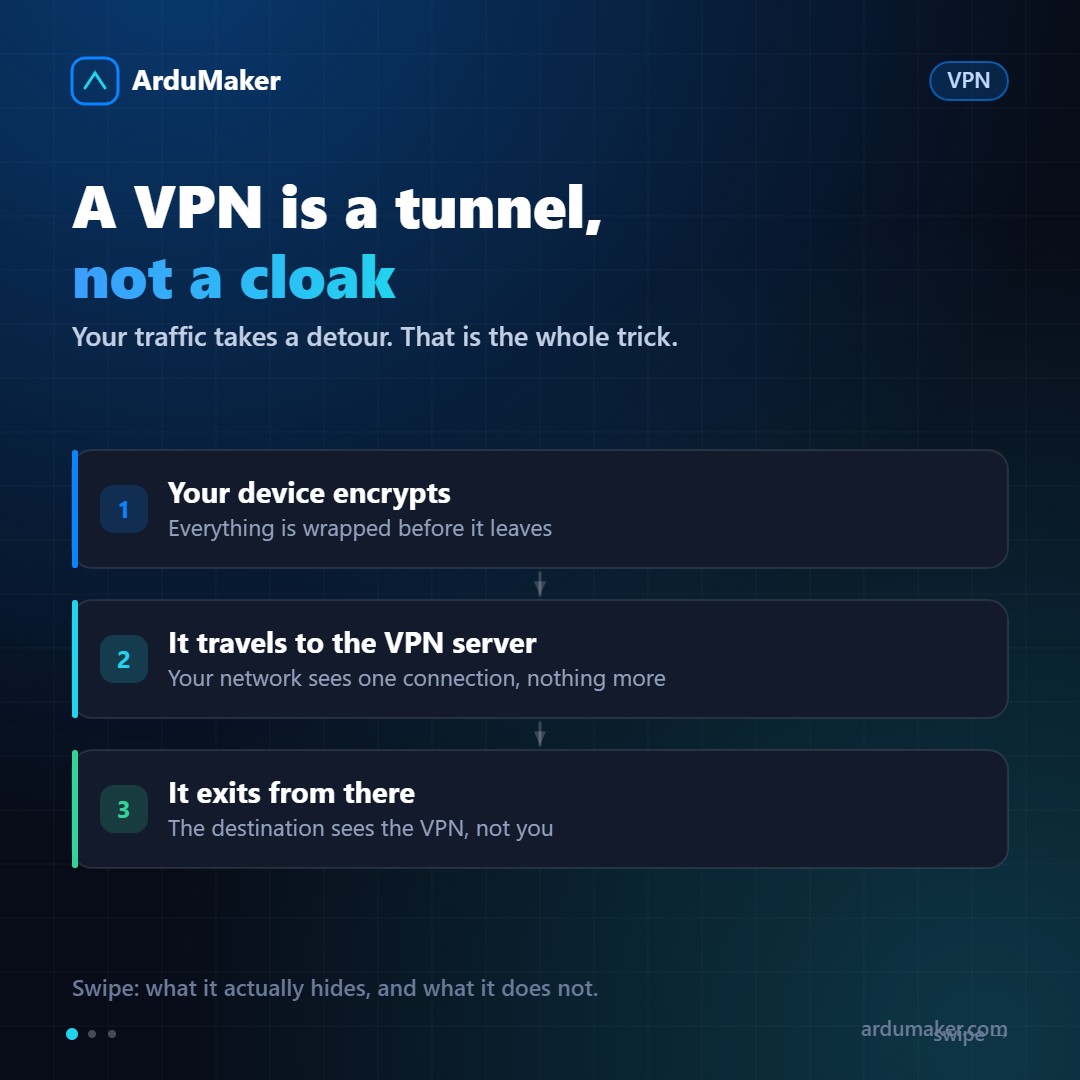
A VPN does two things: it encrypts your traffic and sends it to an intermediate server, from where it goes to its real destination.
Without a VPN, your traffic goes from your device to the router, to the Internet provider, and from there to the destination. Each of those hops sees, at a minimum, where you are connecting to.
With a VPN, your device wraps each packet in another encrypted packet addressed to the VPN server. Your router and your provider only see one thing: that there is an encrypted connection with that server. They don't see what's inside or where it's going.
The VPN server unwraps the packet and sends it to the real destination. The response comes back the same way.
What this hides, and from whom
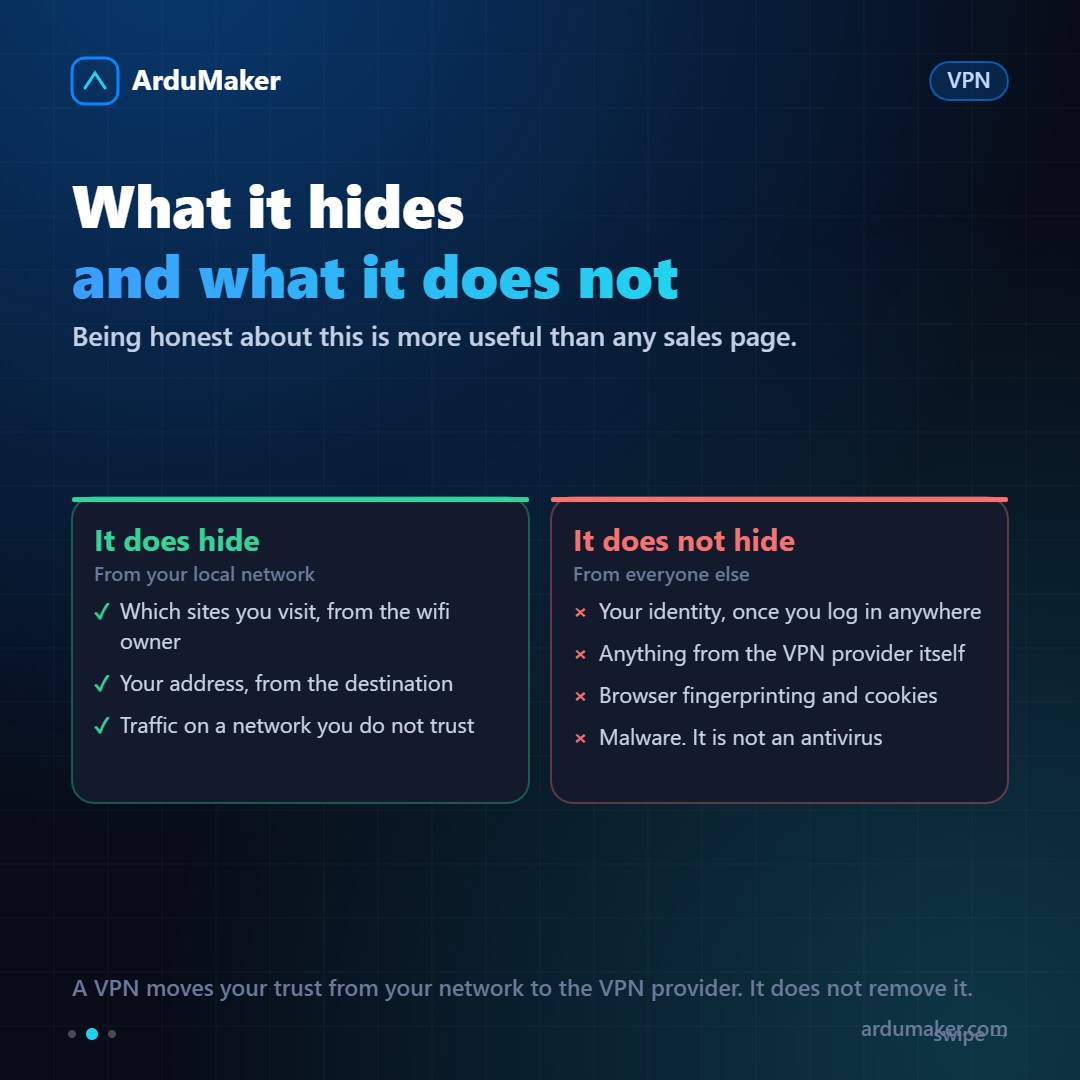
From your local network and your provider: yes, it hides which sites you access. This is real and useful on an airport or hotel Wi-Fi.
From the destination site: it sees the VPN server's address instead of yours. That's why it's useful for accessing region-restricted content.
From the VPN provider: nothing. It sees exactly what your Internet provider used to see. You didn't eliminate trust, you moved it. That's why a free VPN is often worse than using none: the business has to come from somewhere.
From any site where you log in: nothing. If you access your email, they know who you are, with a VPN or without one.
And it doesn't protect against malware, doesn't replace an antivirus, and doesn't prevent tracking via cookies and browser fingerprinting.
What it's really for on a computer
Here's the use that justifies the effort, and it has nothing to do with personal privacy.
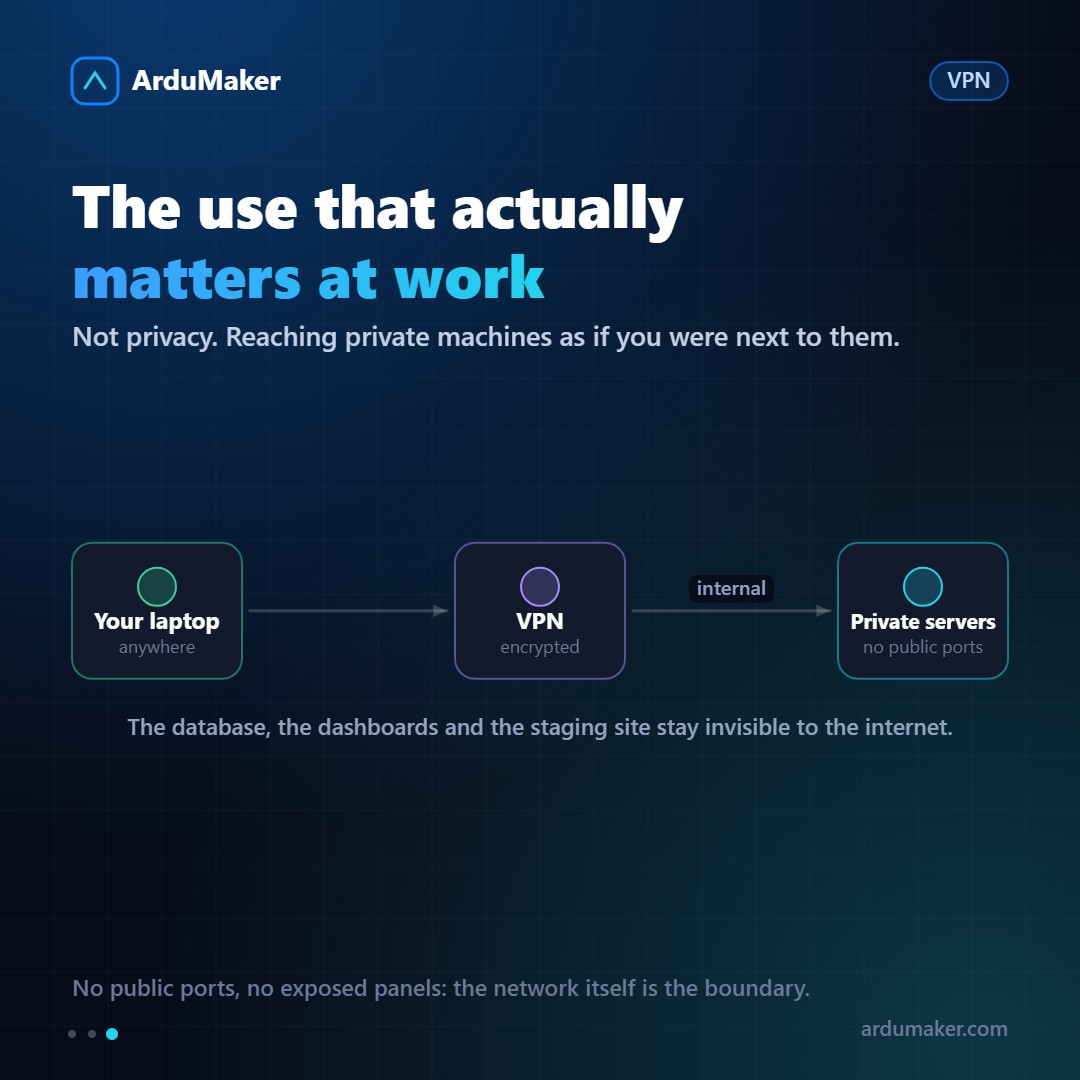
A corporate VPN turns machines anywhere in the world into network neighbors. Your laptop, from a coffee shop, sees the database, the internal panel, and the test environment as if it were in the office.
The important consequence is this: those services don't need any port open to the Internet. No exposed administration panel, no scannable database. The security boundary becomes "being on the network," instead of "guessing a password."
WireGuard changed the landscape
For years, VPNs were synonymous with long configurations and slow connections. WireGuard, which entered the Linux kernel in 2020, changed that: just a few lines of configuration, a handful of thousands of lines of code (compared to hundreds of thousands of previous alternatives), and significantly more speed.
It's the basis of almost everything modern in this field, including Tailscale.
How to decide
- Are you on a network you don't control and want the owner of that network not to see your traffic? Commercial VPN, paid, with a logging policy you can read.
- Do you want your device to reach private servers without exposing them? Own VPN or a Tailscale-type network. This is what adds the most value and what is least advertised.
- Do you want real anonymity? A VPN is not the tool.