What is a domain and what happens when someone types it
Published on 2026-09-12 by frfrand
Se lee al revés de como se escribe, y esa sola idea explica toda la jerarquía. El recorrido completo de la consulta DNS, qué es el TTL y por qué los cambios tardan.
A domain is a name that points to a network address. That’s the short definition. What’s interesting is how it’s organized and what happens between when you type it and the site appears.
It’s read backwards
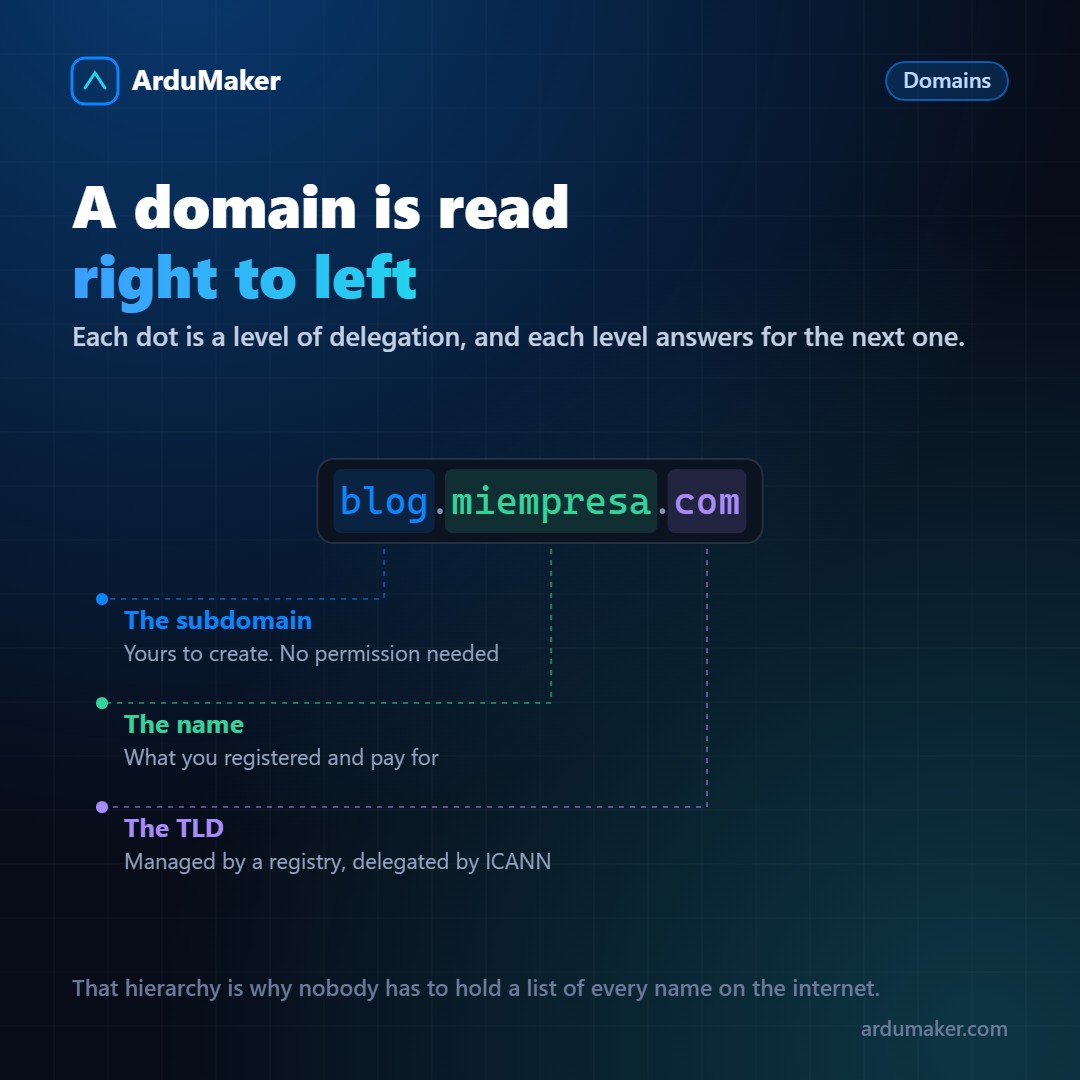
Domains are read from right to left, and each dot is a level of delegation.
In blog.miempresa.com:
- com is the top-level domain, managed by a registry that has a contract with ICANN.
- miempresa is what you registered. The .com registry knows which name servers are responsible for that domain.
- blog is a subdomain. You create this yourself, without asking anyone’s permission, because you administer your zone.
There’s one more level that’s almost never written: the root, which is the invisible dot at the end after "com". It exists, and that’s where everything starts.
This hierarchy solves a problem that would otherwise be impossible: nobody needs to have the complete list of all Internet names. Each level only knows whom to ask for the next one.
The journey of a query
When you type the name, your computer doesn’t know the address. It asks a recursive DNS server (your provider’s or a public one), and that server does the work:
- It asks a root server: "who knows about .com?". It responds with the servers of the .com registry.
- It asks the .com registry: "who knows about miempresa.com?". It responds with the name servers you configured.
- It asks your servers: "what is the address of blog.miempresa.com?". There it gets the answer.
It seems like many steps and in practice almost never are all of them traversed, because each result remains in cache.
The TTL, which explains why changes take time
Every DNS response comes with a TTL: how many seconds it can be stored in cache before asking again.
If your record has a TTL of 86400 (one day) and you change the address, the servers that already had it cached will keep giving the old response for up to an entire day. It is not that "DNS propagates slowly": it is that you are waiting for the caches to expire.
From there comes the most useful custom about DNS: before a migration, lower the TTL to 300 seconds one day in advance. On the day of the change, the caches expire in five minutes and the transition is almost immediate. Then you raise it again.
The records you will use
A name -> IPv4 address AAAA name -> IPv6 address CNAME name -> another name (an alias) MX where the email for this domain goes TXT free text: verifications, SPF, DKIM
Two rules about CNAME that cause real problems:
- It cannot coexist with other records under the same name. That's why you cannot put a CNAME at the domain root if you also have MX records: email would stop working.
- It adds an extra query. A CNAME pointing to another CNAME adds latency.
How to diagnose
dig blog.miempresa.com dig +trace blog.miempresa.com # the full path, step by step dig @8.8.8.8 blog.miempresa.com # what another server responds
The second one is the most educational: it shows the entire path from the root and makes the whole hierarchy visible.
And a clarification that avoids confusion: if you see a correct response with dig but your browser keeps going to the old place, the problem is cache (system, browser, or your router), not DNS.
In ArduMaker, domain records are managed from the panel, and when publishing a site they are created in pairs A and AAAA so that half the house is not left without a key.