What is a web interface and what lies beneath what you see
Published on 2026-09-12 by frfrand
Del momento en que escribís una dirección hasta que aparece la página: DNS, TCP, TLS, HTML, CSS y JavaScript, cada uno con su trabajo. Y por qué esa cadena explica casi todos los problemas de rendimiento.
"Web interface" sounds like the pretty part: the buttons, the colors, the design. That's just the last link in a chain, and understanding the whole chain is what lets you fix things instead of guessing.
What happens when you press Enter
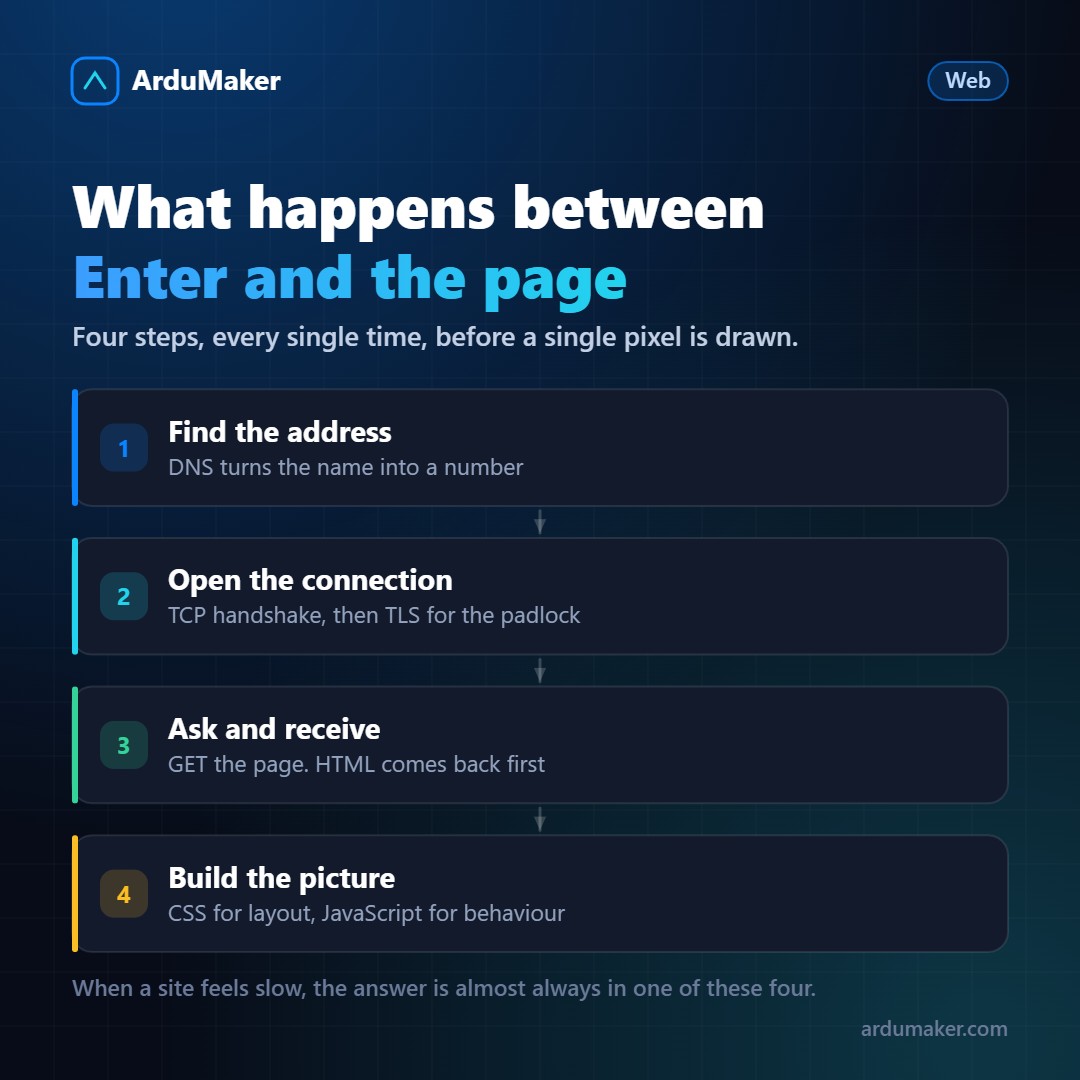
Finding the address. The name you typed means nothing to the network. The browser asks DNS which address it corresponds to. If that data isn't in cache, it takes several hops to obtain it.
Opening the connection. With the address in hand, a TCP connection is opened: a back-and-forth exchange to agree that both sides are ready. If the site uses HTTPS, on top of that goes the TLS handshake, where the server presents its certificate.
Requesting and receiving. Only then does the browser send the request. The server responds with HTML: a text document that describes the page structure.
Building the image. The browser reads that HTML and builds an element tree. While reading it, it finds references to stylesheets, images, and scripts, and requests each one. CSS defines how it looks, JavaScript defines how it behaves.
The three languages, and why there are three
HTML says what each thing is. This is a title, this is a paragraph, this is a button. It's structure and meaning, not appearance.
CSS says how it looks. Colors, sizes, positions, what happens when the screen is narrow.
JavaScript says what it does. Responds to clicks, requests data from the server, changes the page without reloading it.
Separation is not a historical whim: it is what allows a screen reader to understand the page without seeing colors, a search engine to index it, and a redesign without touching the content.
Why this matters for performance
Almost all "the page is slow" problems are in one of those steps, and knowing which one completely changes the solution:
- It takes a while to start showing something → probably the server generating the HTML, or DNS if it's the first visit.
- It shows text without styles for an instant → CSS arrived late.
- It looks but doesn't respond to clicks → JavaScript is still downloading or executing.
- It jumps and readjusts while loading → there are images without declared size, or fonts that arrived later.
The Network tab of the browser tools shows exactly where the time went. It is the most useful diagnostic tool and the one least opened.
HTTP is a text conversation
What travels is not binary magic. A request is text:
GET /precios HTTP/1.1 Host: miapp.com
And the response is too, with a status code ahead. It's worth knowing the groups:
2xx went well 3xx it's elsewhere 4xx the problem is with whoever requested 5xx the problem is with the server
That last group is the one that should worry you: a 404 means someone asked for something that doesn't exist, and that can be normal. A 500 means your code failed.
And the detail that changed everything
HTTP doesn't remember anything. Each request is independent, and the server doesn't know if you've interacted with it before.
That's why cookies exist: a piece of data the server asks you to store, which your browser resends with every subsequent request. The entire idea of "being logged in" relies on this.
Understanding that the protocol is stateless explains many seemingly odd decisions in web development, starting with why managing sessions is more complicated than it appears.