How to create a domain and what happens after buying it
Published on 2026-09-12 by frfrand
Registrador, registro y nameservers: quién es quién. Los cinco pasos desde el registro hasta el sitio funcionando, y las trampas de renovación, privacidad y transferencia.
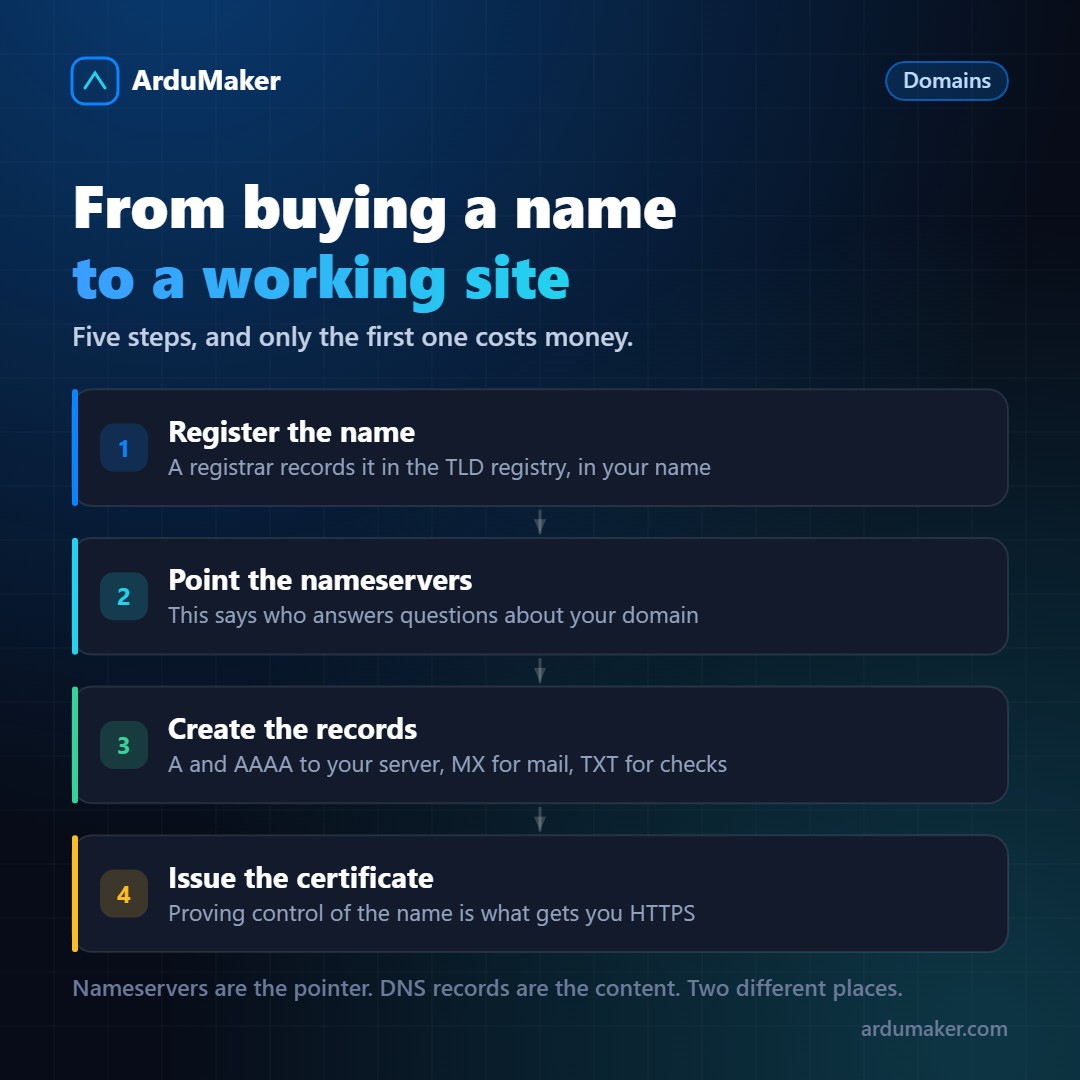
You buy a domain in two minutes with a card. What happens behind the scenes, and what you need to do afterwards, is rarely explained.
Who is who
Three actors that are constantly confused:
The registry. The organization that administers a top-level domain. Verisign manages .com, and each country has its own. They maintain the authoritative database of which names exist under their extension.
The registrar. The company you buy from. It is accredited to write to the registry's database. Namecheap, Cloudflare, GoDaddy and hundreds more.
You, the holder. You appear as the domain contact. And an important clarification: you do not own the name, you have the exclusive right to use it as long as you renew it. A domain is a rental, not a purchase.
The steps
1. Register. You choose the name, the registrar checks that it is available and registers it. From that moment it is yours for the period you paid for.
2. Point the nameservers. This is the part that confuses beginners the most.
Nameservers say who answers questions about your domain. They are configured at the registrar and registered in the TLD registry.
DNS records (A, MX, TXT) are the content of the answers, and they live on the nameservers you chose.
That's why changing an A record in your DNS provider's panel has no effect if your nameservers point to another provider: you're editing a notebook that no one is consulting. It's the number one mistake with domains.
3. Create the records. A and AAAA to your server, MX if you're going to receive email, TXT for verifications and for SPF and DKIM.
4. Issue the certificate. For HTTPS you have to prove that you control the name, normally by publishing a file on the site or a TXT record. If that's done via the file, the domain already has to be pointing to the server.
5. Wait for what corresponds. Nameserver delegation can take hours to reflect in the TLD registry. Individual records depend on the TTL.
The traps
Automatic renewal. An expired domain can be recovered for a time, with a fee, and then it becomes available to anyone. There are companies dedicated to buying expired domains. Leave automatic renewal activated and the payment method current; the notice email arrives at the domain's contact address, which is sometimes one that no one reads.
The second-year price. Many registrars offer the first year very cheap and renew at full price. Check the renewal price before, not after.
The owner's privacy. Contact details are public by default in many TLDs. Almost all registrars offer to hide them, sometimes for free. Without that, your name, address, and phone number remain visible.
Transfer lock. After registering or transferring, the domain remains locked for 60 days and cannot be moved. It's not a problem unless you discover it urgently.
Confusing domain with hosting. They are separate things and can be contracted with different companies. Keeping them separate is, in fact, healthier: if one day you want to change your hosting provider, the domain does not move.
Choosing the name
Two practical tips that are appreciated later: that it can be dictated over the phone without explaining the spelling, and verifying that there is no similar registered trademark before investing in visual identity.
At ArduMaker you can register the domain, manage its records, and publish it on a VPS from the same panel, with the certificate issued and renewed automatically.