What is PATH and why "command not found" is almost never what it seems
Published on 2026-09-12 by frfrand
Una lista de carpetas separadas por dos puntos que decide qué programa se ejecuta. Cómo se busca, por qué el orden importa tanto, y los tres casos donde falla.
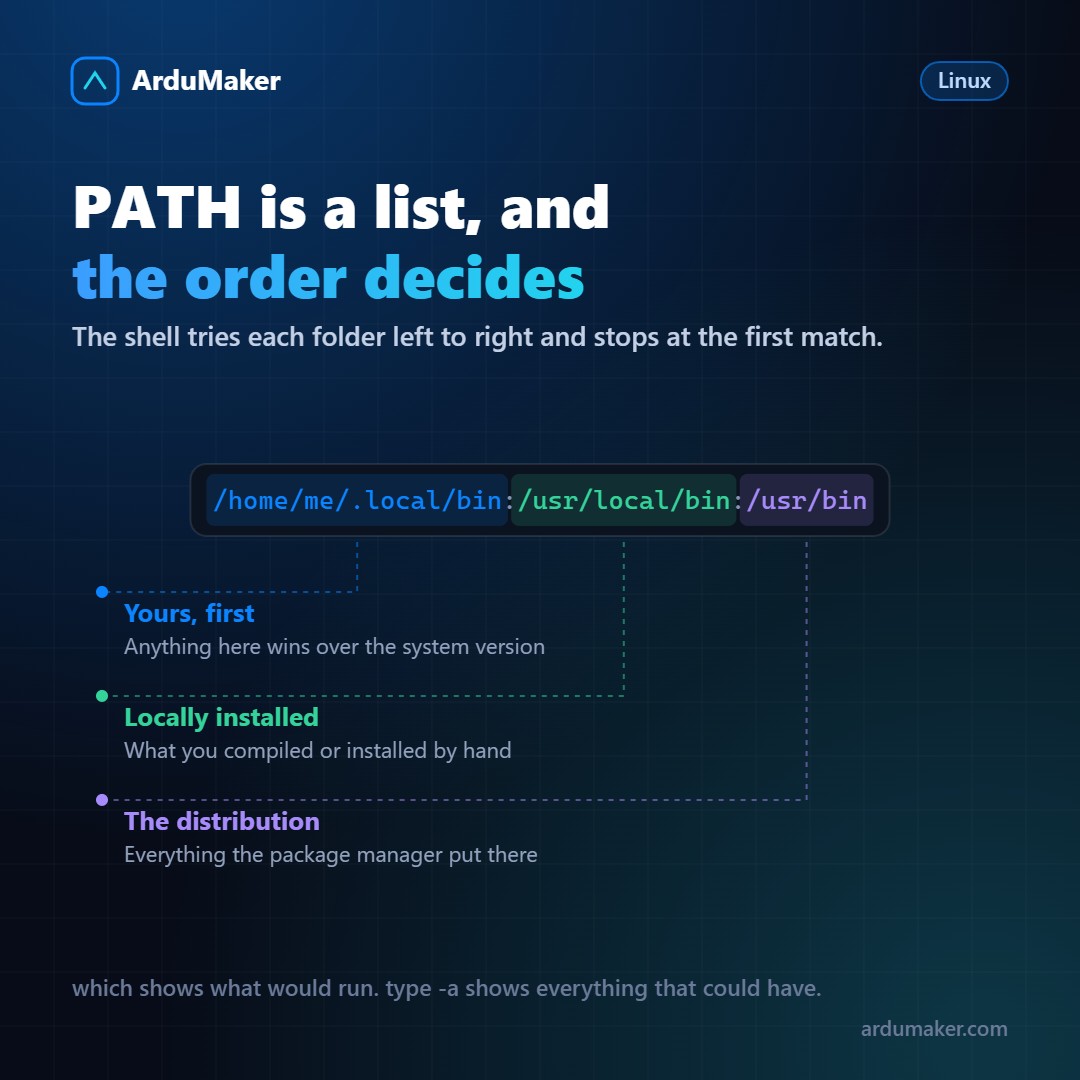
You type "ls" and the list of files appears. How did the system know where the "ls" program is?
With the PATH: an environment variable that contains a list of folders separated by colons.
$ echo $PATH /home/yo/.local/bin:/usr/local/bin:/usr/bin:/bin
When you type a command without a slash, the shell goes through those folders in order, from left to right, and executes the first executable file that matches that name. If it doesn't find it in any of them, it says "command not found".
That is the whole mechanism. And almost all problems come from there.
Order matters, and a lot
If the same name exists in two folders in the PATH, the one that comes first wins.
That is why personal folders usually go first: it allows you to have your own version of a tool without touching the system's.
And that is also why confusing situations arise. You have two versions of Python installed, you run "python3" and the one you didn't expect comes up. The answer is in the PATH order.
Two commands that solve this in seconds:
which python3 # which one would be executed type -a python3 # all the ones that exist, in order
The second one is the one that really clarifies the picture, and almost nobody knows it.
The three cases where it fails
1. In cron. This is the most frequent and the most frustrating.
cron runs with a minimal PATH, which is usually only /usr/bin and /bin. Your script works perfectly when you run it manually and fails in the scheduled task because the program it uses is in /usr/local/bin and cron does not look there.
The solution is to use full paths in cron scripts, or define the PATH at the beginning of the crontab.
2. In a script with shebang.
#!/usr/bin/env python3
That form looks for python3 in the PATH, which is good for portability (respects virtual environments) and means that the result depends on the PATH of whoever runs it.
The alternative, putting the fixed path, is predictable and less portable. Both options are valid: the important thing is to know which one you are using.
3. After installing something and "it does not appear".
Many installers leave the executable in a folder that is not in your PATH, and tell you to add a line to your shell configuration. If that line was not added, or was added in a file that is not read in your type of session, the command "does not exist".
How to add it correctly
In your shell configuration file:
export PATH="$HOME/.local/bin:$PATH"
Two important details:
- Always include $PATH at the end. If you write only the new folder, you erase everything else and the system becomes almost unusable in that session.
- Put the new folder at the front if you want it to have priority, or at the end if you prefer the system to win.
The security detail
Never put the current directory (a dot) in the PATH.
If you do it, all it takes is for someone to leave a file named "ls" in a folder you pass through for it to be executed without you realizing it. It is a classic attack vector and that is why no distribution includes it by default.
For the same reason, to execute something from the current directory you have to write ./program: that slash tells the shell "this is a path, do not search in the PATH".