Why Linux is multi-user from day one
Published on 2026-09-12 by frfrand
De dónde salen los permisos, los uid y la costumbre de que cada servicio tenga su propio usuario, y por qué ese diseño de hace cincuenta años sigue siendo la mejor defensa gratuita que tenés.
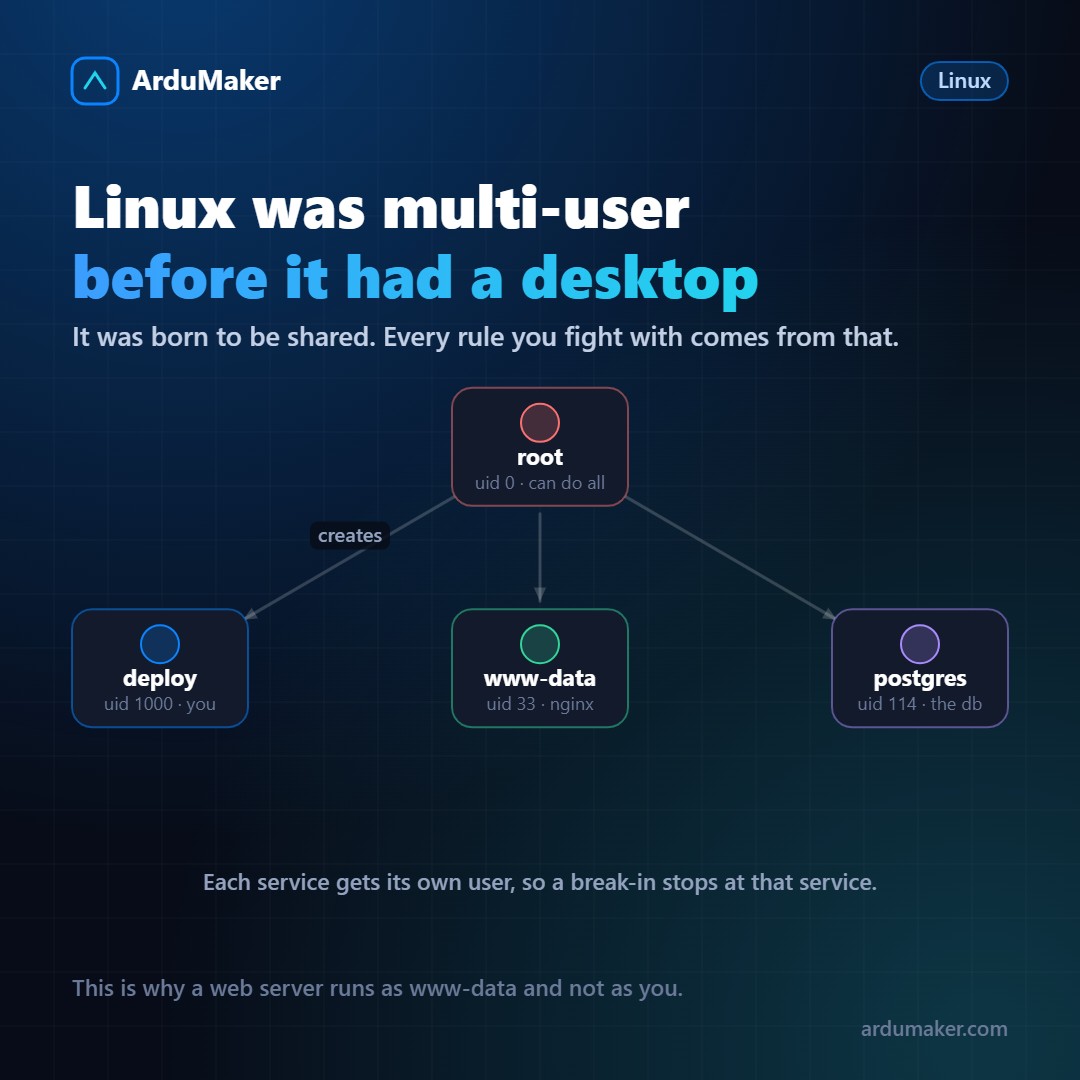
When someone starts with Linux, permissions feel like bureaucracy. Why do I have to use sudo for everything? Why are there fifteen users I didn't create?
The answer lies in its origin. Unix, of which Linux is a direct heir, was born in 1969 in a world where a computer cost what a building costs today and was used by dozens of people at once. It was not a personal machine: it was a shared resource.
This forced the system to answer one question in every operation: who is requesting this?
The uid is what really matters
The system does not work with names, it works with numbers. Each user has an identifier, the uid, and the name is just a label for humans to read.
$ id uid=1000(deploy) gid=1000(deploy) groups=1000(deploy),27(sudo)
There is a fairly universal convention:
- uid 0 is root. It is not "the administrator" by configuration: it is root because its uid is 0, and the kernel skips permission checks for uid 0. If you change its name, it can still do everything.
- uid 1 to 999 are system users: services, daemons. They have no password or login shell.
- uid 1000 onwards are people.
That is why whoami can lie to you and id cannot: the first shows the name, the second the number.
Each service with its own user
This is the habit that gives the most security and that most people break without realizing it.
In a well-built server, each service runs as a different user:
$ ps -eo user,comm | sort -u | head postgres postgres redis redis-server root systemd www-data nginx
The logic is damage containment. Suppose a vulnerability appears in nginx and someone manages to execute code through it. What do they achieve? The permissions of www-data, which typically are reading the site files, and little more.
They cannot read your .env, because that file is owned by deploy with permissions 600. They cannot restart services, because that requires root. They cannot query the database, because the credentials are in a file they cannot open.
The attack occurred, but it stayed inside a box.
Groups are the other axis
A user belongs to a primary group and to those you add to them. Groups solve the case "several people need the same thing".
$ usermod -aG docker deploy # deploy can now use Docker $ usermod -aG sudo deploy # deploy can now use sudo
Watch out for the "a" in that command: without it, usermod -G replaces all secondary groups instead of adding. It is one of the fastest ways to remove yourself from the sudo group and be left unable to administer the server.
And a detail that surprises: adding someone to the docker group is, in practice, giving them root. Whoever can launch containers can mount the host disk inside one. It is not a hole: it is how Docker works. It is worth knowing before distributing that group.
File permissions, read all at once
$ ls -l .env -rw------- 1 deploy deploy 412 Nov 1 10:22 .env
It is read in blocks of three: the first is the owner, the second is the group, the third is everyone else. rw- for the owner, nothing for the rest. That is 600.
The numbers come from adding: read 4, write 2, execute 1. So 755 means "the owner can do everything, others can read and execute", which is normal for a folder or a program. And 600 means "only the owner, and not even they can execute it", which is correct for a secrets file.
A classic trap: in folders, the execute permission means "being able to enter". A 644 folder is unreadable even if its files are fine.
Why this is not ancient history
It might seem that on a server where you work alone all this is unnecessary. It is the opposite: it is exactly there where it matters most, because there is no one else watching.
Linux's multi-user model is the only defense that is already installed, costs nothing, and works even against attacks that do not exist yet. Taking advantage of it is, almost always, not fighting against it.
At ArduMaker each VPS is created with this structure already set up: your user with sudo, services with theirs, and root reserved for what really needs it. Additional users are created from the panel, with their own SSH key.