How to compile a binary, from code to process
Published on 2026-09-12 by frfrand
Las cuatro etapas que convierten texto en un programa, qué hace el enlazador y por qué falla tanto, la diferencia entre enlazado estático y dinámico, y qué pasa al ejecutarlo.
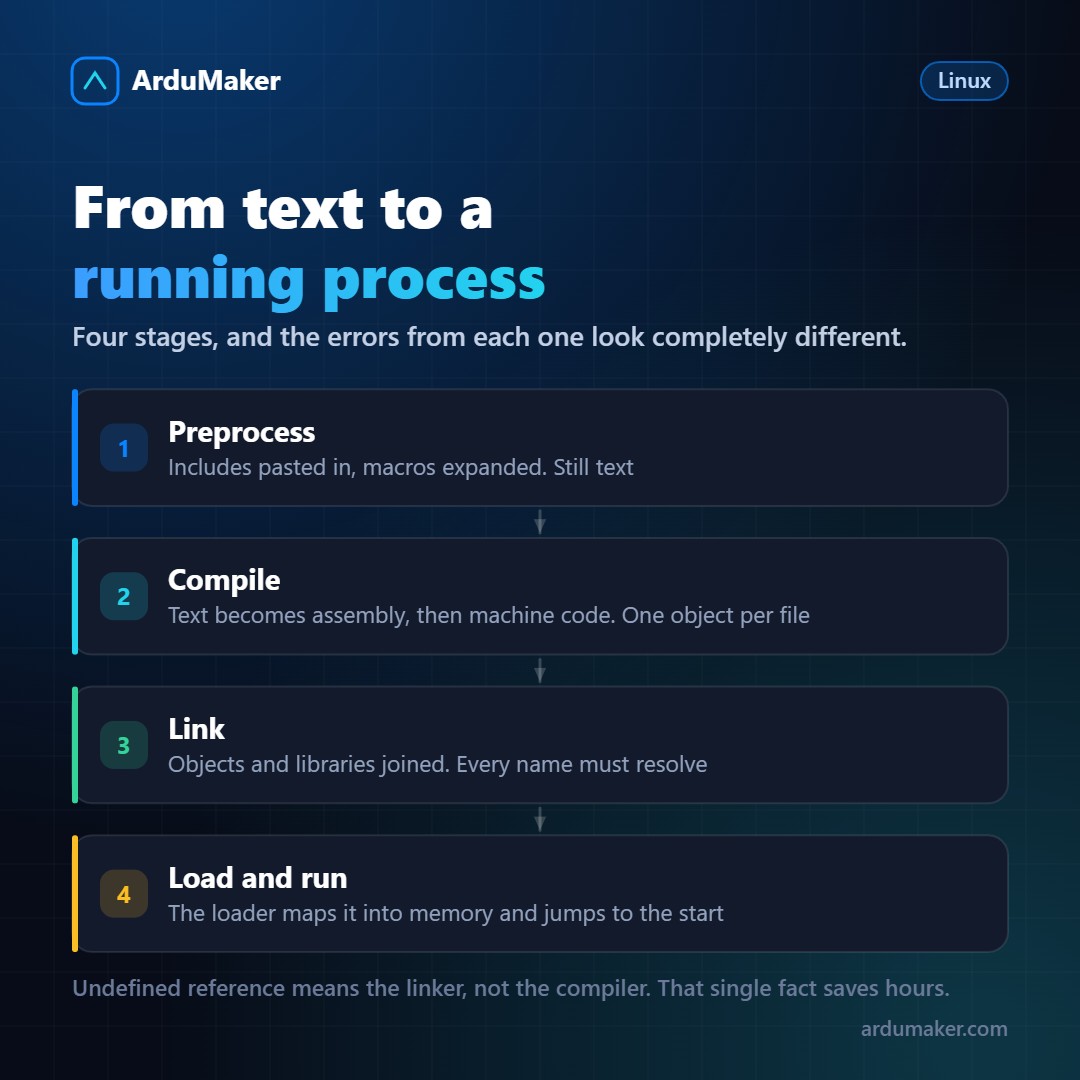
You write code, run a command, an executable appears. In between there are four stages, and knowing which is which completely changes the interpretation of errors.
1. Preprocessing
Directives are resolved: included files are pasted, macros are expanded, conditional blocks that do not apply are removed.
The result is still text, normally much longer than the original.
2. Compilation
The compiler translates that text into machine instructions. It verifies syntax, applies optimizations, and generates an object file for each source file.
An object file has machine code, but it is not executable yet: it contains references to things that are elsewhere. If your code calls a function defined in another file, the object saves the name and a space to fill in.
Errors at this stage are the familiar ones: a semicolon, a type that does not match, an undeclared variable. They tell you file and line.
3. Linking
This is where the most confusing errors appear.
The linker joins all objects and libraries, and resolves each pending reference: for each name used, it looks for where it is defined and notes the address.
If a name does not appear anywhere, it fails with the classic:
undefined reference to 'mi_funcion'
This error is confusing because it looks like a compilation error and it isn't. The compiler was perfectly happy: it knew that function existed somewhere. The one that can't find it is the linker.
Common causes: forgetting to add a file to the compilation, forgetting to link a library (the classic -lm for math), or the library order being wrong (the linker processes them in order and some cases are sensitive to that).
Static or dynamic
A decision with very practical consequences.
Static linking: the library code is copied inside your executable. The binary is larger and doesn't depend on anything external: you copy it to another machine and it works.
Dynamic linking: the executable only stores the library name, and it loads at runtime. The binary is small, and several programs share the same library in memory. Also, a security update of the library benefits all programs without recompiling.
The cost of dynamic linking is the error at the other end:
error while loading shared libraries: libfoo.so.3: cannot open shared object file
That's runtime: the program compiled and linked fine, but at startup it can't find the library. To see what a binary depends on:
ldd /usr/bin/miprograma
This is the reason why a binary compiled on one distribution may not run on another, and it is also one of the reasons why containers exist: to encapsulate the exact set of libraries.
4. Loading and executing
When you run the program, the kernel reads the file header (in Linux, ELF format), reserves memory, maps the code and data sections, and passes control to the dynamic loader, which resolves the missing libraries and finally jumps to the entry point.
Curiosity: the code segment is mapped as read-only and shared. If you run the same program twenty times, the code is present only once in physical memory.
And languages that don't compile this way
Python, JavaScript, or Ruby do not produce a native binary. They are interpreted, or compiled to an intermediate format that runs on a virtual machine.
Java and C# are in the middle: they compile to bytecode and translate it to native code while running.
Go and Rust do the opposite, which is why they became popular in infrastructure: they produce a static binary that depends on nothing. You copy the file to the server and it works. No interpreter, no system libraries, no virtual environment.