How an IP address really works
Published on 2026-09-12 by frfrand
Qué son esos cuatro números, por qué existen las direcciones privadas, qué hace la máscara de red y por qué tu paquete llega a destino sin que nadie conozca el camino completo.
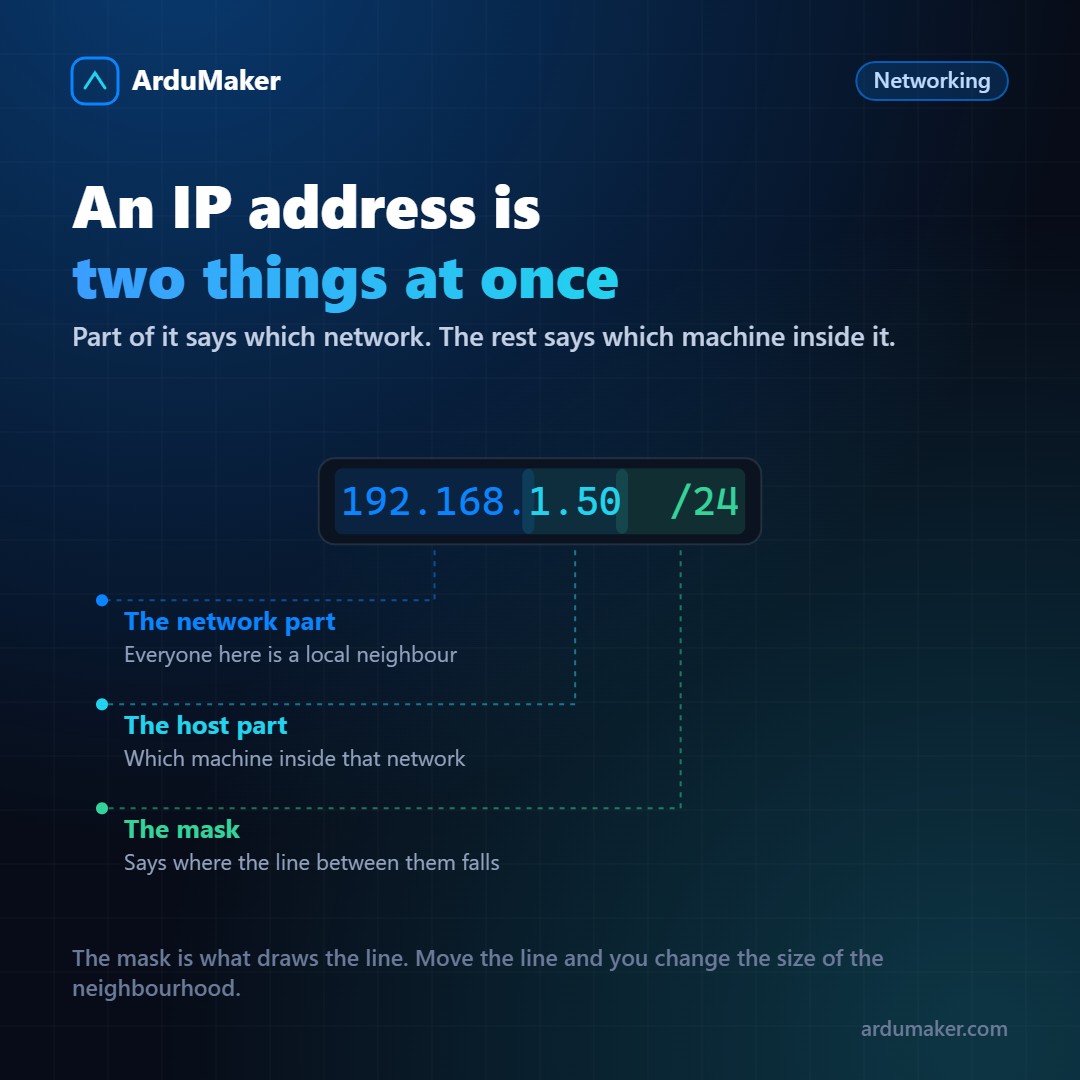
An IP address looks like a phone number: a unique identifier that points to a machine. It's a good first approximation, but it falls short in something important.
An IP is not a name: it's a location. And that changes quite a bit how everything else works.
The four numbers
An IPv4 address is 32 bits. It's written in four groups of 8 bits (0 to 255) separated by dots because it's easier for us to read that way; the machine doesn't care.
The interesting thing is that those 32 bits are divided into two parts: one identifies the network and the other identifies the machine within that network.
Where the division falls is decided by the mask. When you see something like /24 at the end of an address, it means "the first 24 bits are the network, the remaining 8 are the machine". That gives 256 possible addresses in that segment, of which 254 are usable.
A /16 would be a much larger network (65,536 addresses) and a /30 a very small one (four, of which two work). It's the same idea as an area code and a local number, but with a movable boundary.
Why that matters
Because it determines who you can talk to directly.
When your machine wants to send a packet, it asks a single question: is the destination on my same network? It compares its own address and its mask with the destination address.
If it's on the same network, it talks to it directly. If not, it hands it to the router (the "default gateway") and lets it figure it out.
That is the entire algorithm. Your computer does not know the way to a server on the other side of the world. It only knows one thing: "this is not for here, I give it to the router". And the router does the same with the next one. The Internet works because each hop only needs to know the next step, not the full route.
Private addresses
There are three reserved ranges that never circulate on the Internet:
10.0.0.0 to 10.255.255.255 172.16.0.0 to 172.31.255.255 192.168.0.0 to 192.168.255.255
That is why your home router distributes addresses that start with 192.168, and that is why the same addresses exist in millions of homes at the same time without clashing: they never go out.
When you connect to a site, the router replaces your private address with the public one it has and notes in a table that the response is for you. That is NAT. It is also the reason why, from outside, no one can initiate a connection to your computer unless you configure a forwarding.
Special addresses worth recognizing
127.0.0.1 your own machine, always 0.0.0.0 "any interface" when listening 169.254.x.x could not obtain address via DHCP
The third is a free diagnosis: if a machine has an address that starts with 169.254, it is not that the network is down, it is that there was no DHCP response. Almost always it is a cable, a port, or a down DHCP server.
From name to address
None of this is used manually, because nobody remembers addresses. Between the name you type and the address there is one more step: DNS.
$ dig +short ardumaker.com $ ip route get 1.1.1.1 # through which interface would this packet go out
The second command is one of the most useful and least known: it tells you exactly what path a packet would take to that destination, with which interface and which router. When something "has no exit", that line usually contains the answer.
An IP is not an identity
It is worth closing with this because it is often misinterpreted: an IP address identifies an endpoint, not a person or a device.
It changes when you change networks, it is shared among everyone behind the same router, and mobile operators put thousands of clients behind the same public address. It serves for routing. As proof of who did something, it is weak.