One SSH key per person: the detail that changes everything when you're a team
Published on 2026-09-12 by frfrand
Por qué compartir una clave privada arruina el modelo entero, cómo se agregan y quitan claves sin tocar a nadie más, y qué hacer el día que alguien pierde la laptop.
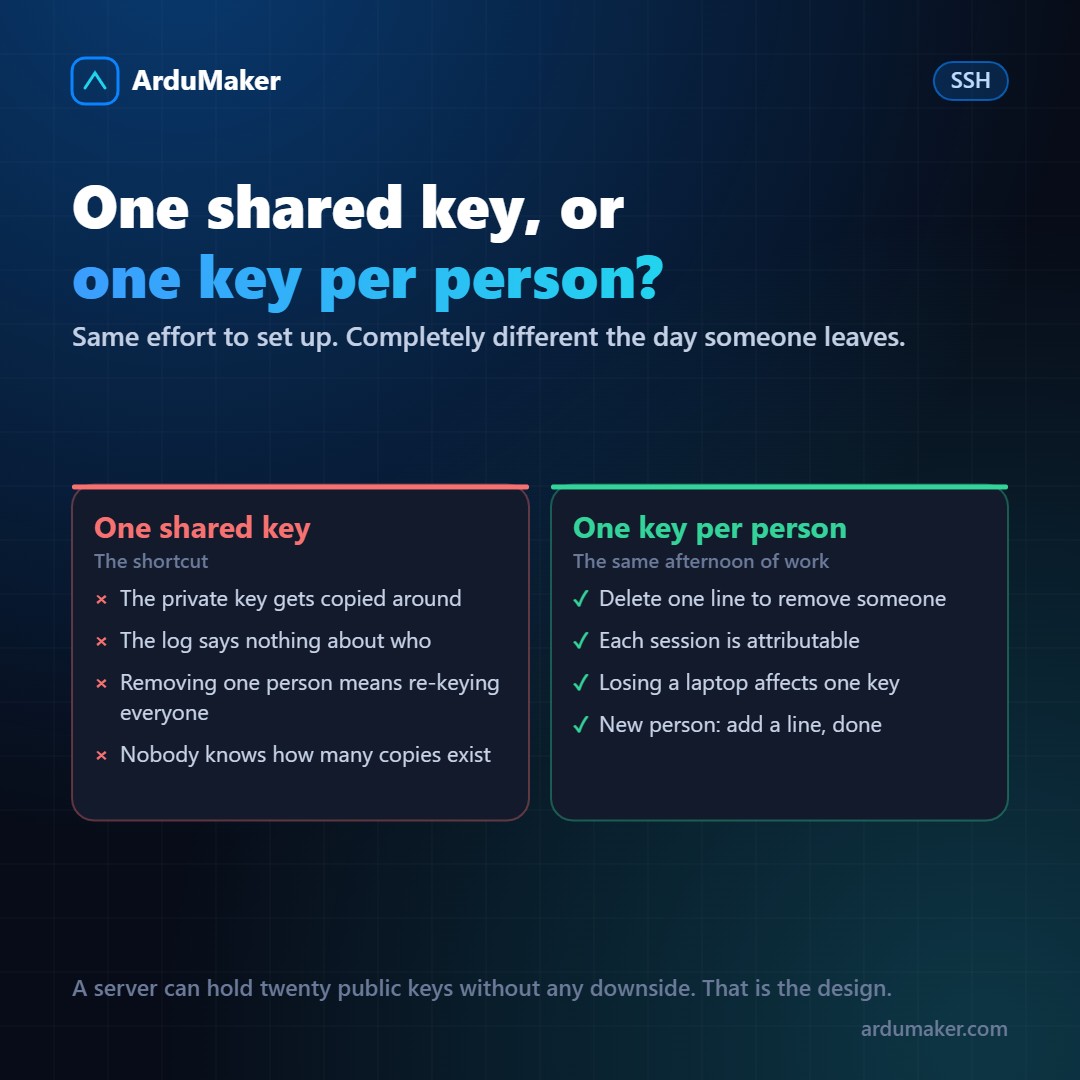
There is a very common shortcut in small teams: a "project" SSH key is generated, stored in the shared password manager, and everyone uses it.
It works. And it dismantles almost everything good about SSH.
Why the shared key breaks the model
SSH design is based on a premise: the private key identifies someone and never leaves their machine. If the key circulates, that premise disappears, and with it three properties:
It no longer identifies. The log says "deploy" entered. You don't know who. After an incident, the question "who executed this?" has no answer.
It can no longer be revoked one by one. Removing access from one person means generating a new key and distributing it to everyone else. Since that annoys everyone, it gets postponed. And that's how someone who left eight months ago can still get in.
You don't know how many copies exist. A private key that went through a shared manager is on every laptop where someone downloaded it, and in any backup of those laptops.
What many people don't know
The reason it's shared is usually a misconception: that adding multiple keys is complicated, or that having many public keys on a server weakens it.
Neither is true.
The ~/.ssh/authorized_keys file is a list. One public key per line. You can have twenty and nothing happens, because a public key does not allow deducing the private one. That is the whole point of asymmetric encryption.
# ~/.ssh/authorized_keys ssh-ed25519 AAAAC3Nza... ana@laptop ssh-ed25519 AAAAC3Nza... bruno@laptop ssh-ed25519 AAAAC3Nza... ci-deploy
The final comment on each line (ana@laptop) has no technical function and is precisely what makes it maintainable: it is what allows you to know, six months from now, who each one belongs to.
How to add and remove
Add, from the person's machine:
ssh-copy-id ana@miservidor.com
Remove: delete their line from the file. That's it. No one else finds out, no one else has to change anything.
Compare that with the other model, where removing someone involves coordinating a change with the entire team. The difference is not in how access is granted: it's in how much it costs to revoke it.
Machine keys are also people
A continuous integration server that deploys needs its own key, distinct from those of people. Two reasons:
- If the CI system is compromised, you revoke that key without touching anyone.
- That key can have smaller permissions. With the command option in authorized_keys you can force that key to only execute a specific script, without an interactive shell:
command="/usr/local/bin/deploy.sh",no-pty ssh-ed25519 AAAA...
It is one of the most useful and least used features of SSH.
The day someone loses their laptop
With per-person keys, the procedure is short: delete that line on the servers where it was, and generate a new key pair.
With shared keys, the procedure is to rotate the key for the entire project and coordinate with everyone. That is exactly why, in practice, it is not done.
A recommendation that saves you that scare: put a passphrase on the private key. If someone steals your machine, the file alone is not enough for them. The SSH agent keeps it for the duration of your session, so you don't have to type it all the time.
How we do it
At ArduMaker, each user of a VPS has their own key, loaded from the panel. Adding someone is adding their public key; removing them is removing it. There is no shared credential to rotate, and every command executed from the platform is associated with whoever launched it.
It is the same old idea: what defines a good access model is not how easy it is to grant permission, but how quickly it can be revoked.