What is virtualization, explained from scratch
Published on 2026-09-12 by frfrand
Cómo una máquina física se convierte en varias independientes, qué hace un hipervisor, la diferencia real entre una VM y un contenedor, y por qué todo el cómputo en la nube depende de esto.
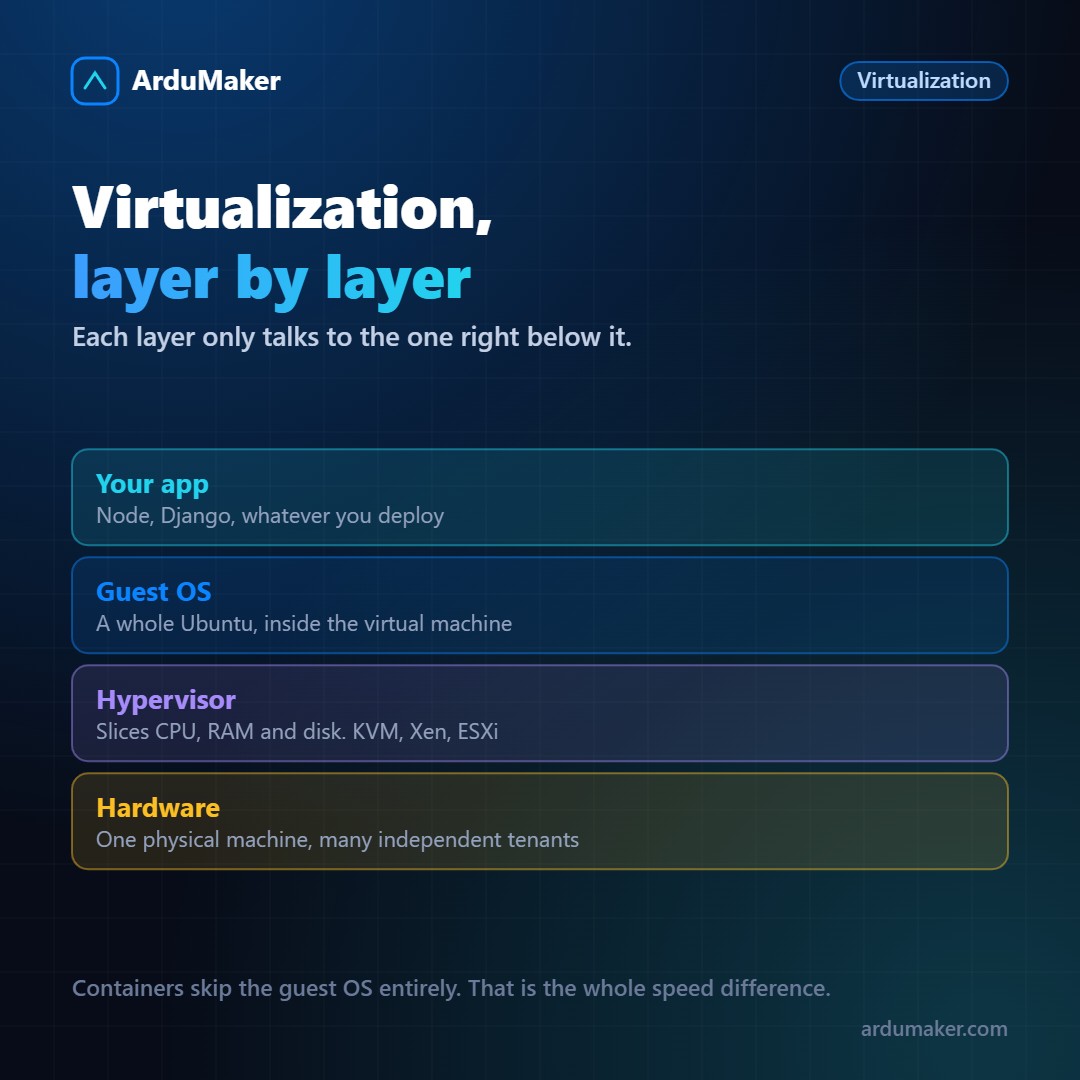
A modern physical server has dozens of cores and hundreds of gigabytes of memory. Dedicating it entirely to a small application is a huge waste.
Virtualization solves that: it turns a physical machine into several independent machines, each with its own operating system, users, and processes, without them seeing each other.
What a hypervisor does
The hypervisor is the piece that allocates. It sits between the hardware and the virtual machines, giving each the illusion of having its own processor, memory, and disks.
There are two types, and the distinction matters:
Type 1, or bare metal. Runs directly on the hardware, with no operating system underneath. KVM (which is part of the Linux kernel), Xen, VMware ESXi, Hyper-V. This is what all cloud providers use.
Type 2. Runs as a program inside a normal operating system. VirtualBox, VMware Workstation. Convenient for testing on your machine, with more overhead.
Why it's not slow
The natural question is how a virtual machine can approach the performance of a physical one if there's a layer in between.
The answer is that almost all of the virtual machine's code executes directly on the real processor, without translation. Modern processors include specific instructions for this (VT-x on Intel, AMD-V on AMD) that allow the hypervisor to relinquish control and regain it only when necessary.
The hypervisor only intervenes in privileged operations: device access, memory management, interrupts. For everything else, the virtual machine uses the real processor.
That is why CPU overhead is just a few percentage points. Where it is noticeable is in input and output, although there are solutions for that too (virtio, and passing devices directly).
Containers: the other way
A container does not virtualize hardware: it shares the host system's kernel and isolates everything else.
Specifically, it uses two Linux kernel functions:
- Namespaces: the process sees only its own processes, its network, its file system. What exists outside, for it, does not exist.
- cgroups: limits on how much CPU, memory, and input/output it can consume.
The practical consequence: a container starts in one second and weighs megabytes, because it does not have to boot an entire operating system. A virtual machine takes tens of seconds and occupies gigabytes.
When to use each
The difference that matters most is isolation. A virtual machine has its own kernel; a container shares the host's. If a kernel escape vulnerability appears, the container is much closer to the real system.
That is why:
- Different clients, or workloads you do not trust → virtual machines.
- Several services of the same application, that already trust each other → containers.
And they are combined all the time: cloud providers give you a virtual machine, and you run containers inside it. It is exactly ArduMaker's scheme: each customer has their isolated VPS, and inside they can launch Docker from the panel.
What made it possible
It is worth sizing it up: without virtualization there would be no cloud as we know it.
Being able to create a server in thirty seconds, destroy it when you no longer need it, pay by the hour, clone it, move it to another physical machine without turning it off. All of that are properties of a virtual machine, impossible with dedicated hardware.
The snapshot is another example: saving the complete state of a machine (memory included) and returning to it. It is virtually free with a VM and has no physical equivalent.