What is a bootloader and how Linux boots: GRUB explained
Published on 2026-10-19 by frfrand
Bootloader en Linux: qué hace GRUB, cómo intervienen UEFI y el kernel, qué revisar si el equipo no inicia y errores habituales.
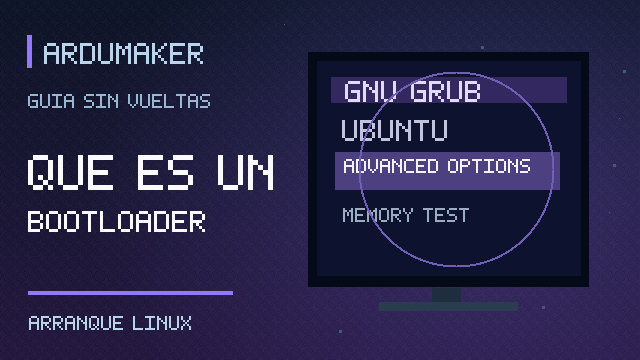
A bootloader —or boot loader— is the program that helps load the operating system when the computer is turned on. On many Linux systems, GRUB is used for that task.
It seems like an unimportant detail, until you update a system and the machine gets stuck on a strange screen before showing the desktop.
An easy explanation: who opens the door first?
The operating system cannot start by executing itself out of nowhere. When you turn on the PC, the firmware —BIOS or UEFI— acts first, preparing what is needed to boot.
Then the boot mechanism comes into play. In a typical Linux installation, GRUB can locate the chosen kernel, prepare parameters, and hand over control. The kernel continues initializing the system and, later, services and applications are started.
Think of it like a theater: the firmware prepares the venue, the bootloader indicates which play starts, and the kernel organizes the operation of everything that comes after. It is a metaphor, not an exact description of every processor instruction.
What is GRUB?
GRUB stands for GRand Unified Bootloader. It is a boot manager that can load operating systems, select between different kernels and, in certain configurations, display a boot menu.
Not all systems use GRUB. Windows has its own boot components and Linux can also boot with other loaders. GRUB is very well known, but it is not the only possibility.
Why does a menu appear when booting Linux?
Imagine a computer that has Ubuntu and Windows installed. The GRUB menu can allow you to choose which system to boot. It can also offer different kernel versions or recovery entries.
If you only have one system configured, the menu may be hidden and booting continues automatically. That does not mean GRUB does not exist; you simply do not have to interact with it every day.
Where is it installed?
It depends on the architecture and boot mode. On UEFI systems, boot programs integrate with the environment and the EFI system partition. On old BIOS configurations, the process and loader installation are different.
That is why it is not advisable to copy a tutorial to "repair GRUB" without first knowing whether the machine uses UEFI or BIOS, what disks it has, and how the partitions are distributed.
What happens after GRUB loads the kernel?
The kernel begins to control resources and initialize components. Usually a temporary boot file system, such as initramfs, also intervenes, helping to prepare drivers and locate the main file system.
Then the user and service environment is started. In many modern Linux distributions, systemd organizes a good part of that stage. Finally, a login screen appears or the server services become available.
The full chain contains more pieces, but understanding this journey allows you to locate where it is failing.
What if «grub rescue» appears?
That message usually indicates that GRUB could not continue normally with its configuration or with access to necessary files. It can occur after changes to partitions, disks, configurations, or boot errors.
It does not necessarily mean you lost your files. Nor is it advisable to run destructive commands without understanding the problem.
Before attempting random solutions, check if there were recent modifications, if the disk is detected, and if the boot mode is still correct. If it is an important machine, preserve the information before repairing partitions or boot loaders.
Why can it stop booting after an update?
A kernel or boot component update can reveal a configuration failure, an incompatibility, or a full partition.
In some cases, it is possible to select a previous kernel from GRUB to temporarily recover the system, if it is still installed and available. That does not replace investigating the cause and applying a definitive solution.
What does it have to do with servers and ArduMaker?
On an ArduMaker VPS, applications depend on the operating system starting correctly. If a web process fails, checking Nginx and its logs may make sense. But if the system did not even complete booting, the problem lies in an earlier layer and requires a different type of diagnosis.
That is the value of understanding the sequence: firmware, bootloader, kernel, and services are not the same.
In summary: the bootloader is a transition piece. GRUB is one of the most widely used in Linux and allows you to choose and load the system, but it does not replace the kernel nor manage your applications.
Sources: Official GNU GRUB Manual · GNU/Linux Booting from GRUB.