Git and GitHub are not the same: what each one does
Published on 2026-09-12 by frfrand
Uno es un programa que corre en tu máquina; el otro es un servicio con una copia de tu repositorio y un montón de cosas alrededor. Dónde termina uno y empieza el otro, y por qué importa.
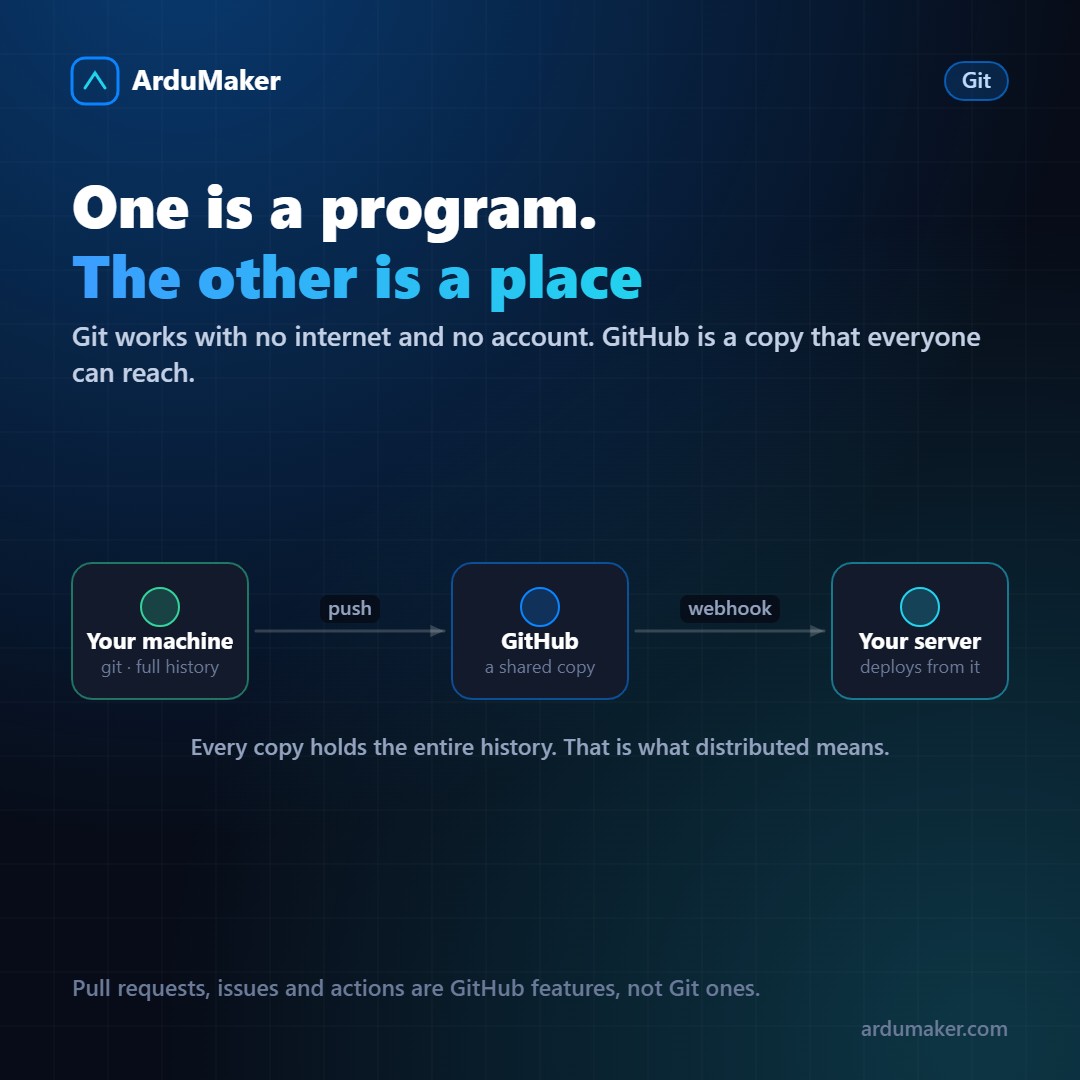
It's such a common confusion that it's worth separating them well, because knowing where one ends and the other begins avoids quite a few misunderstandings.
Git is a program
Git is a version control system that runs on your computer. You install it, and from there you can create repositories, make commits, branches, merges, and view the full history.
All of that works without an Internet connection and without any account anywhere. A Git repository is a hidden folder called .git inside your project. Everything is there.
It was written by Linus Torvalds in 2005, in a few weeks, because the system they used for the Linux kernel stopped being free. The goals were speed, integrity, and good support for parallel work.
GitHub is a service
GitHub is a company that hosts Git repositories and adds things around them.
The "hosting" part is the simplest: it has a copy of your repository, accessible over the network, so several people can work against the same place.
What it adds on top is what made it big, and none of that is part of Git:
- Pull requests, to review changes before integrating them
- Issues, to track tasks and bugs
- Actions, to run automated processes
- Permissions, teams, and organizations
- The web interface to read code
There are alternatives that do the same thing: GitLab, Bitbucket, Gitea, Forgejo. You can also host your repository on your own server via SSH without any platform: all you need is an empty repository to push to.
What "distributed" means
This is the hardest part when coming from previous systems.
Every copy of a Git repository contains the entire history. There is no central server that is "the original" and partial copies.
Practical consequences:
- You can work, make commits, create branches, and view the entire history offline.
- If GitHub disappears tomorrow, your local repository has everything. You would lose issues and pull requests, which are indeed GitHub's, but not the code or the history.
- You can have multiple remotes at once.
GitHub being "the main one" is a team convention, not a technical property.
Remotes, concretely
A remote is simply a name for an address:
git remote -v origin git@github.com:empresa/proyecto.git (fetch) origin git@github.com:empresa/proyecto.git (push)
"origin" is nothing special: it's the default name given to the first one. You can add another:
git remote add produccion deploy@miservidor.com:/repos/app.git git push produccion main
That was, for years, the simplest deployment mechanism that existed: pushing directly to a repository on the server, with a hook that updated the site.
Where deployment fits in
Today the most common flow is: you push to GitHub, GitHub notifies your server via a webhook, and the server downloads the code and deploys it.
That distinction clarifies a point that confuses: your server is not watching GitHub. It is GitHub that notifies it. That is why, when a deployment does not trigger, the first place to check is the webhook delivery history: there you can see if the notification was sent and what the server responded.
In ArduMaker it is configured exactly like that: you link the repository, choose the branch, and each push triggers the build and restart, with its log to know at which step it stopped.