How Git Works Under the Hood (and Why That Saves You from Scares)
Published on 2026-09-12 by frfrand
Git no guarda diferencias: guarda fotos completas. Entender eso explica por qué las ramas son baratas, por qué casi nada se pierde de verdad y qué hace realmente cada comando.
You can use Git for years with five memorized commands and without understanding what they do. It works, until the day something goes wrong and you don’t know why.
Understanding the model takes ten minutes and changes your relationship with the tool.
The Three Places
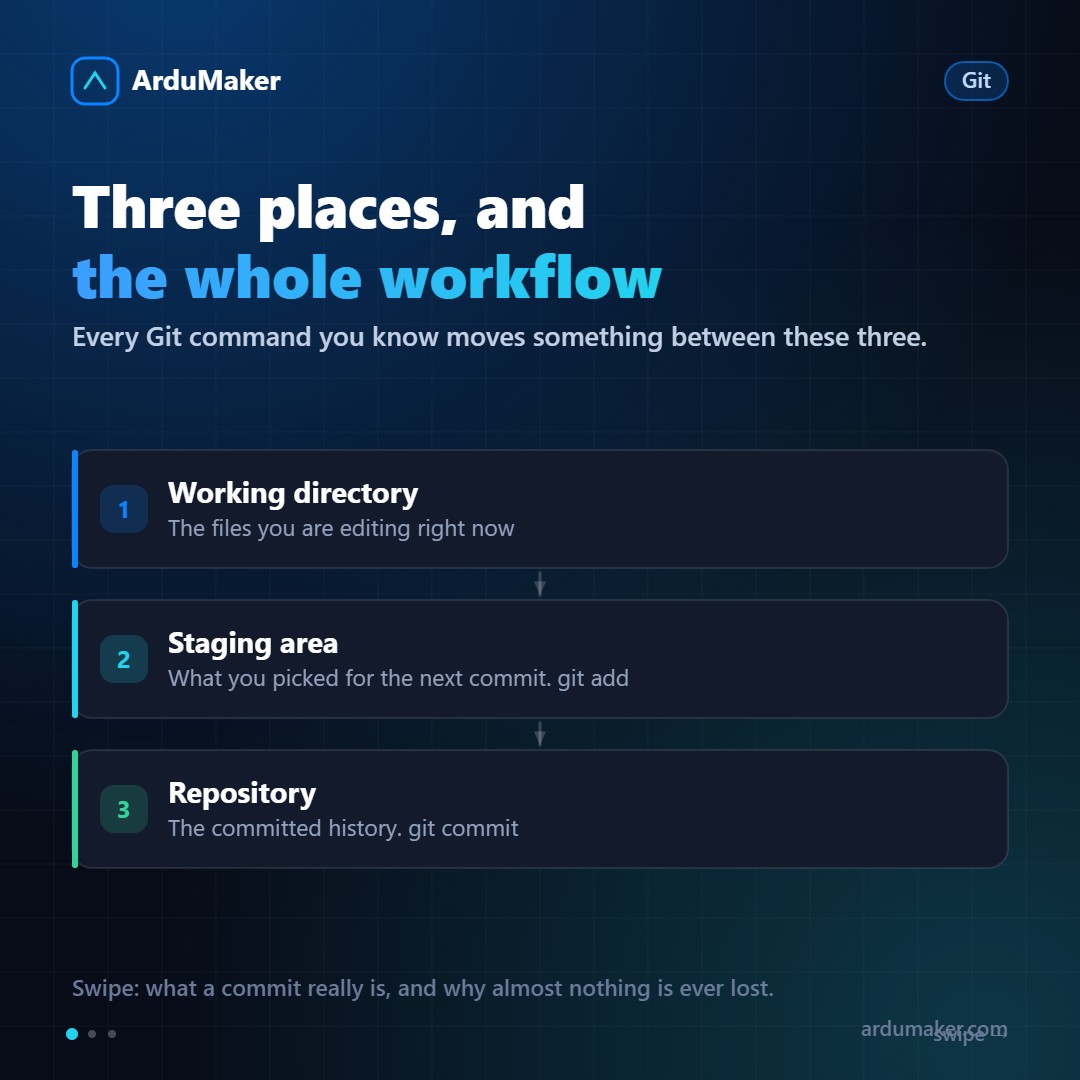
Every Git command moves something between three spaces:
The working directory. The files as they are now on your disk.
The staging area. An intermediate zone where you prepare the next commit. When you run git add, you move changes here.
The repository. The confirmed history. git commit takes what’s in staging and saves it.
This intermediate zone confuses at first and is exactly what makes Git powerful: it lets you choose which part of your work goes into each commit. You can have five modified files and commit only two, or even just some lines of one with git add -p.
A commit is not a difference
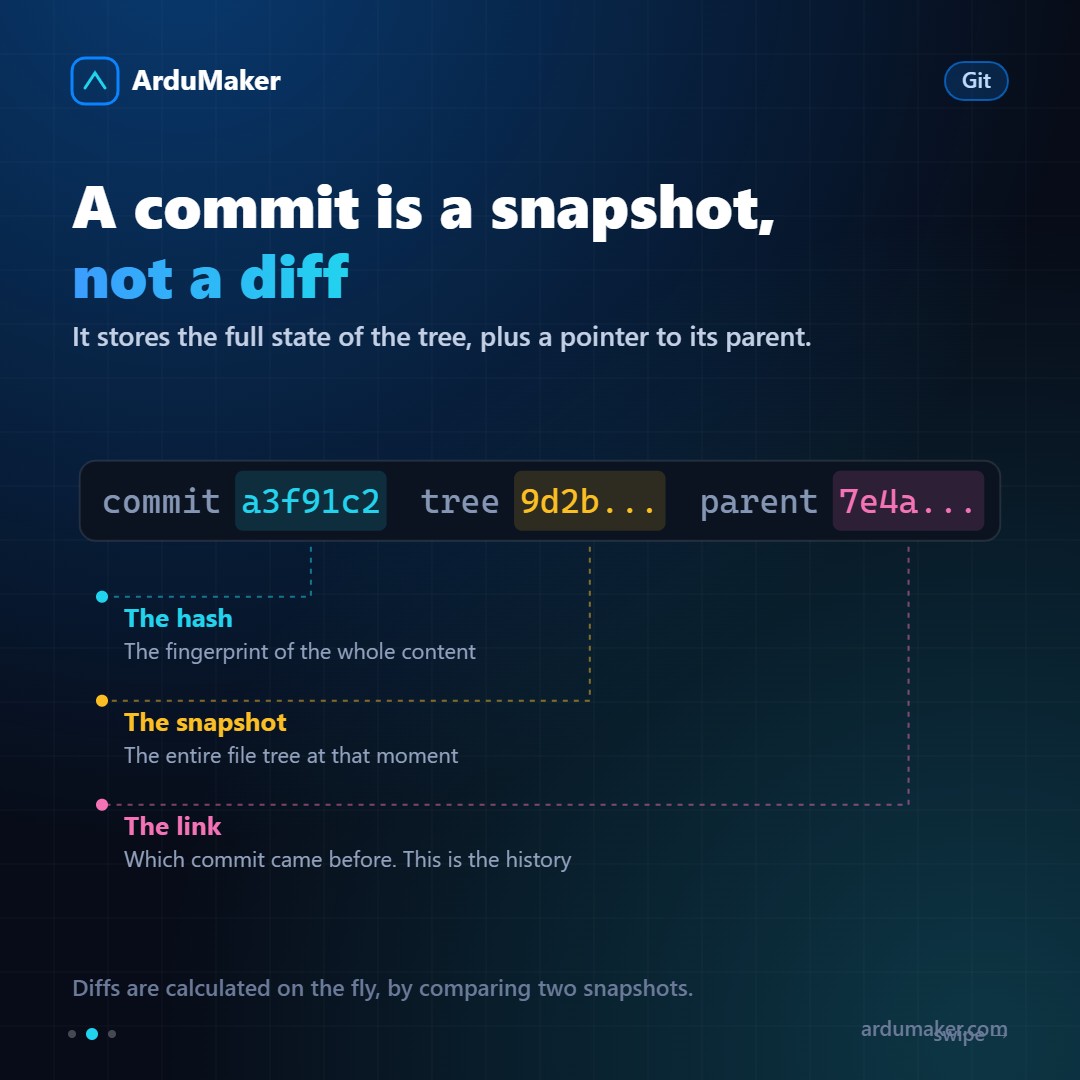
Here’s the most common misunderstanding. Most people think a commit saves “what changed.” It doesn’t.
A commit saves a complete snapshot of the file tree at that moment, plus a pointer to the previous commit and some metadata.
The differences you see in git diff or on GitHub are calculated on the fly, by comparing two snapshots.
Doesn’t that take up a lot of space? No, for two reasons: files that didn’t change are reused (Git stores content by its hash, so the same content is stored only once), and then everything is compressed.
From this design come two important consequences:
- Branches are dirt cheap. A branch is a 41-byte file that points to a commit. Creating one is instantaneous. That’s why Git’s workflow encourages creating branches for everything, something unthinkable in earlier systems.
- History is verifiable. The hash of a commit is computed from its content, which includes the parent’s hash. Changing something old changes all subsequent hashes. That’s why rewriting shared history causes so many problems.
HEAD, branches and the "detached HEAD"
HEAD is a pointer that says where you are.
Normally HEAD points to a branch, and the branch points to a commit. When you make a new commit, the branch advances and HEAD goes with it.
If you checkout a commit directly, HEAD points to the commit without going through a branch. That’s the famous "detached HEAD". It’s not broken: simply, if you make commits there and then leave, those commits have no branch holding them. That’s why the warning.
The command that saves the day
This single fact justifies the whole article.
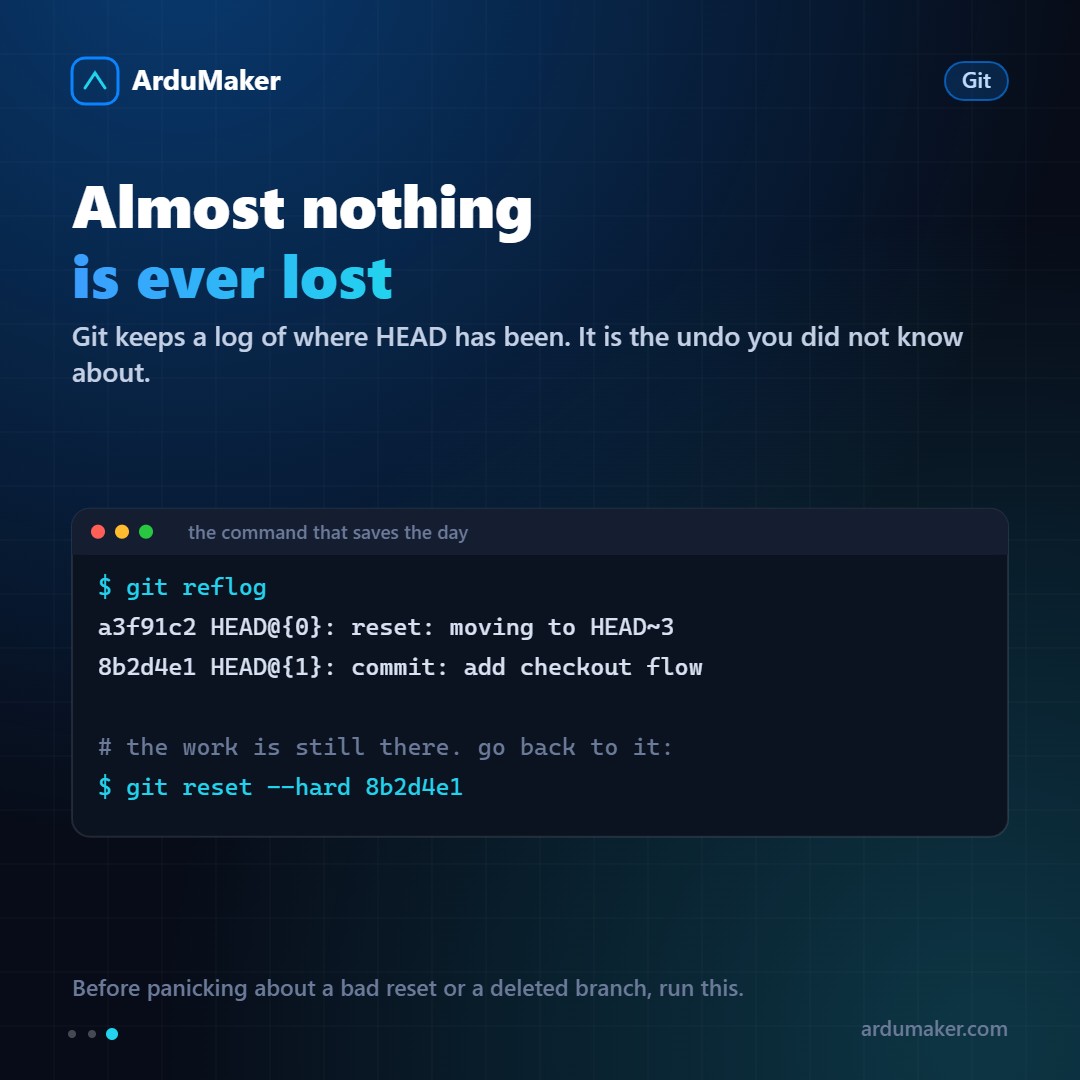
Git keeps a record of all the positions HEAD has passed through: the reflog.
git reflog
If you did a reset you shouldn’t have, if you deleted a branch by mistake, if you got lost in the middle of a rebase, there is the list of where you were, with its hash. Going back is:
git reset --hard <hash>
Orphaned commits remain in the repository for weeks before the garbage collector cleans them up. Almost nothing is truly lost in Git. What gets lost are the changes that were never committed, and for that, the habit of making small, frequent commits exists.
What’s good to keep in mind
- A commit is a snapshot with a pointer to its parent.
- A branch is a pointer to a commit, and it’s free.
- HEAD tells you where you are.
- The reflog remembers where you’ve been.
With that, commands stop being magical formulas and become operations you can reason about.