What branches do you really need in a real project
Published on 2026-09-12 by frfrand
Los flujos de trabajo famosos resuelven problemas que quizá no tenés. Tres modelos, para qué sirve cada uno, y cómo elegir según cómo publicás y cuántos son.
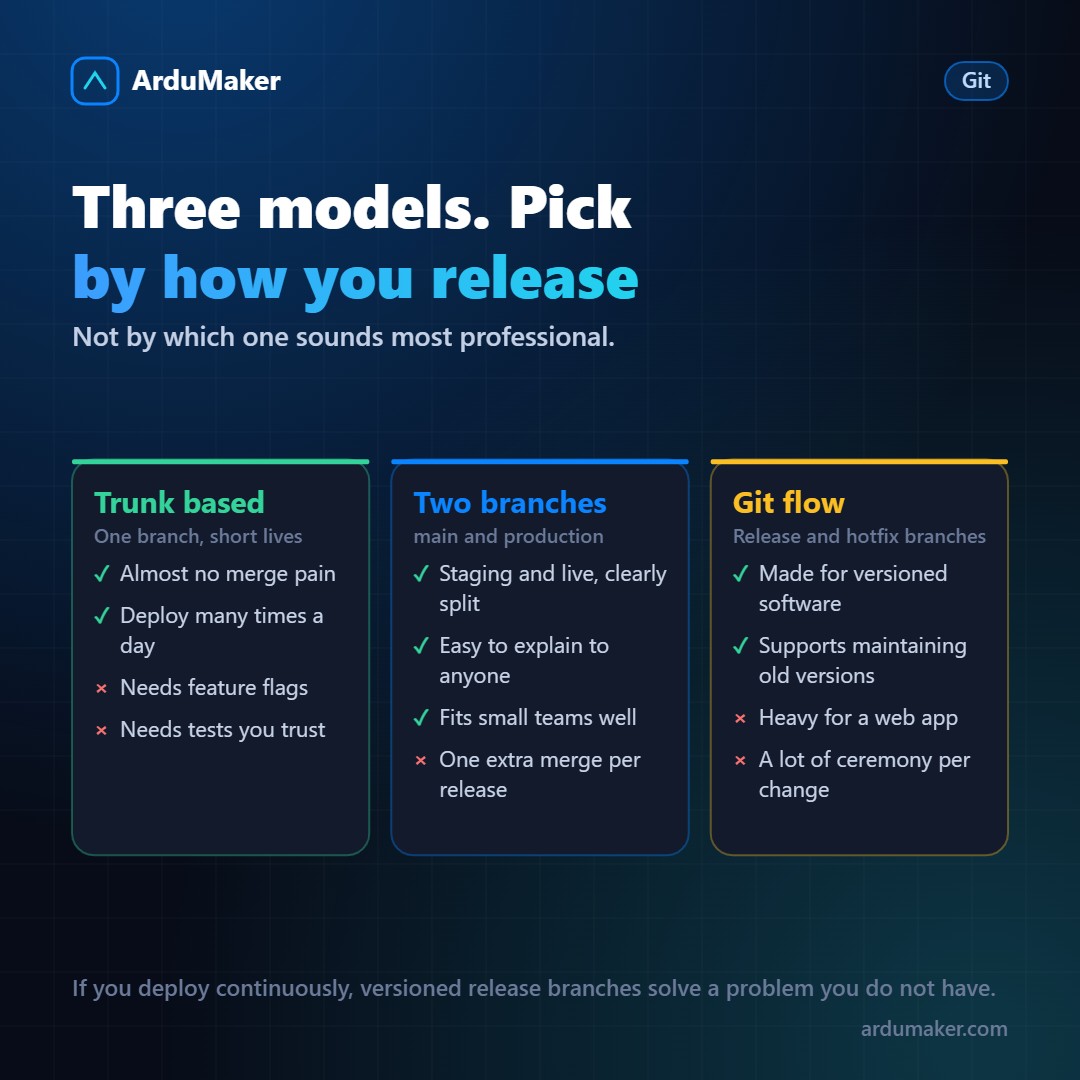
When someone searches for "how to organize branches," they find complex diagrams with five distinct types. Most were designed for a specific context that may not be yours.
Before choosing a model, it's worth answering one question: how do you publish?
Model 1: a single branch
Everyone works on main. Branches exist but last hours or a day, and are integrated immediately.
It works very well when you publish frequently and have tests you trust. It's what most teams that deploy several times a day use.
What it requires to not be a disaster:
- Automated tests that run on every integration and that you actually trust.
- Feature toggles: if something isn't ready, it's integrated turned off instead of staying on a branch.
That last part is what's hardest to adopt and what makes the model viable. It allows integrating incomplete code without it reaching users.
Model 2: two branches
One integration branch (main) and one production branch.
- main receives everything that's ready, and deploys only to staging.
- When you want to publish, you merge main into the production branch, and that triggers deployment to the live site.
Publishing is a merge. Rolling back is a revert. Anyone on the team understands the system's state by looking at two branches.
For a team of two to ten people that publishes a few times a week, this model is hard to beat in terms of simplicity versus control. It's the one we use.
Model 3: Git flow
The famous one, with development branches, feature branches, release branches, hotfix branches, and master.
It was designed in 2010 for software with versions: a program that is downloaded, where versions 2.3 and 2.4 coexist, and you need to be able to patch an old version without adding the new stuff.
If that is your case (a library, a desktop application, something installed on clients), Git flow solves real problems.
If you have a web application where the only version that exists is the one running, Git flow adds ceremony without solving anything. The author himself published a note years later saying exactly that.
How to choose, in one question
Do you need to maintain old versions in parallel?
- Yes → Git flow or something similar.
- No, and you publish several times a day → a single branch with feature flags.
- No, and you publish a few times a week → two branches.
Details that matter more than the model
Prefixed names. feature/, fix/, chore/. It allows filtering and understanding at a glance. And if you include the ticket number, traceability comes for free.
Delete integrated branches. A repository with eighty old branches is pure noise. Most platforms do it automatically when closing a pull request.
Protect the production branch. No direct push, with mandatory review. Not out of distrust: because at seven in the evening anyone can make a mistake on the wrong branch.
Short branches. This matters more than everything above combined. A poorly chosen model with two-day branches works well. The best model in the world with one-month branches, does not.
In ArduMaker each deployment is associated with a branch, so you can have the same repository published twice on the same VPS: one from main to staging and another from production to the real domain.