What is a network switch and how does it differ from a router?
Published on 2026-10-20 by frfrand
Switch Ethernet explicado: cómo conecta equipos en una LAN, direcciones MAC, switches gestionables, VLAN y cuándo necesitas uno.
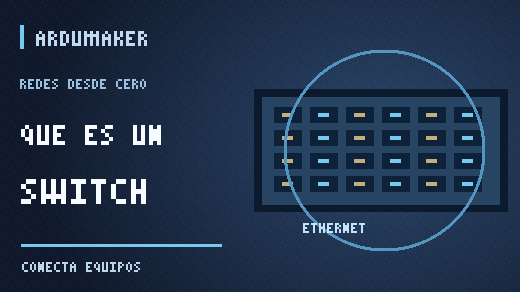
A switch is a device that connects equipment within a local area network and sends Ethernet frames to the appropriate destination. If you ever saw a device with twenty-four network ports in an office, it was probably a switch.
It looks like a power strip for cables, but it can do much more than multiply connections.
An example in an office
Imagine ten computers and a printer. All of them need to communicate within the same network. A switch allows connecting them via Ethernet and exchanging information without constantly sending every communication to all ports.
In a traditional Ethernet switch, the device learns which MAC addresses appear behind each port. With that information, it can forward known frames to the corresponding destination.
This does not mean it never sends traffic to multiple ports. There are broadcast transmissions and situations where it still does not know where the recipient is located.
What is a MAC address?
It is an identifier used in network interfaces at the link layer, especially in Ethernet and related technologies.
It is not the same as an IP address. The IP address is used to identify and route traffic between networks; the MAC address helps deliver frames within a local segment.
The same device can have multiple interfaces and, therefore, different link addresses. It is also not advisable to assume that a MAC address is impossible to modify or that it constitutes a secure credential.
Do switches and routers do the same thing?
Not in their basic function. A Layer 2 switch connects devices within a LAN using MAC addresses. A router connects different IP networks and uses routing tables.
The distinction becomes a bit less clear-cut because there are Layer 3 switches capable of performing routing functions. In companies and data centers, those capabilities are often combined.
To start, think of the switch as a way to organize communication within a network and the router as the device that connects networks.
What is an unmanaged switch?
It is a device designed to work practically as soon as you plug it in: you add cables and the devices can communicate according to the environment.
It is usually suitable for a home or small office that simply needs more Ethernet ports.
A managed switch offers additional controls: VLAN configuration, port monitoring, certain access policies, quality of service, and other functions depending on the model.
You don't need to buy the most complex switch to connect three computers.
What is a VLAN?
A VLAN allows creating separate logical segments over compatible network infrastructure. A company could separate employee traffic from guest device traffic, even if both share part of the cabling.
But configuring VLANs does not by itself replace all security measures. If you need to control traffic between VLANs, you need routing and appropriate rules.
VLANs should not be confused with IP subnets either: they are often used together, but they operate at different layers.
Does a switch improve Internet speed?
Not necessarily. If your connection to the provider offers less capacity than the local network, adding a gigabit switch does not magically increase Internet bandwidth.
It can improve local connectivity, allow fast transfers between compatible devices, or solve a lack of ports, but the result depends on cables, ports, network cards, and links.
What happens if I connect the cables incorrectly?
Some designs with redundant links can create link-level loops. In managed networks, protocols such as Spanning Tree help avoid certain loop problems.
Connecting multiple switches without understanding the topology can cause excessive traffic and hard-to-diagnose failures. In a simple network, following the manufacturer's recommended design avoids many complications.
And in ArduMaker?
ArduMaker VPS and services run on infrastructures that require switching and routing, physical or virtual. Although you normally do not see the data center switch, understanding its function helps distinguish a local link problem from a routing failure.
In summary: a switch connects devices within a local network; a router connects networks. The technical boundary can blend in advanced equipment, but the difference in functions remains useful.
Sources: What is a switch according to Cloudflare · What is a subnet.